How to Create a Photo Booth Portfolio Before Your First Booking
Build a credible wedding and corporate portfolio from two intentional sample shoots, honest AI before-and-afters, and a gallery that feels like a real delivery.
Nicholas Rhodes
Drafted with AI assistance; reviewed and approved by Nicholas Rhodes before publishing.
How do you build a photo booth portfolio before your first booking?
You don’t need a long list of paid events to build a credible photo booth portfolio. You need to show prospective clients that you understand their event, can create attractive experiences, and know how the final photos, GIFs, prints, and galleries will look. A well-planned portfolio, built intentionally and labeled honestly, can demonstrate that before you’ve served your first customer.
Beginner series · Stage 2 of 5 · Part 10 of 22
Organize your portfolio around the questions clients are already asking: what will the experience look like at my event, can you match my wedding or brand, will the photos look good with groups, can guests receive and share content easily, and what exactly am I paying for?
Start with two realistic sample experiences
Before creating individual images, decide which types of bookings you want to attract. For most new operators, the best starting point is a wedding or private-event experience, and a corporate or brand-activation experience. These two samples demonstrate different skills: a wedding portfolio should feel warm and celebratory, while a corporate portfolio should feel polished, branded, and controlled. You can create both with friends, models, or people from your network; you don’t need a real wedding or conference, just a setting, shot list, and visual direction that simulate one.
Sample shoot one: wedding
Create a simple scene using neutral or floral décor, a clean backdrop, wedding-style props, soft lighting, and two to six people per group. Your shot list should include a couple portrait, a group of friends, a larger group with varied heights, a close-up showing the overlay, a print strip or 4×6 layout, a GIF or boomerang with visible movement, a behind-the-scenes shot, and two or three AI transformation examples. Use a fictional couple name and date, and make it clear this is a portfolio concept rather than a real client event.
Sample shoot two: corporate
Use a clean background and a fictional brand name, never implying it’s a real company or client. Show a branded overlay, logo placement, professional headshots, small team groups, a branded GIF or boomerang, a lead-capture or delivery screen concept, and a few AI transformations aligned with the brand. Corporate clients want evidence that you can follow brand guidelines and deliver a consistent experience, not just attractive photos.
Build your samples in Pictor
A simple workflow: choose a starting event template, add your business branding, create a wedding or corporate overlay, set up the capture mode, add the relevant AI style or custom prompt, test the experience with different group sizes, then generate the final photos, GIFs, boomerangs, and gallery assets. Your portfolio should show not just polished content, but a repeatable process for creating an event. The goal isn’t dozens of variations. It’s a small number of strong experiences that look ready for a real booking.
Show AI transformations honestly and clearly
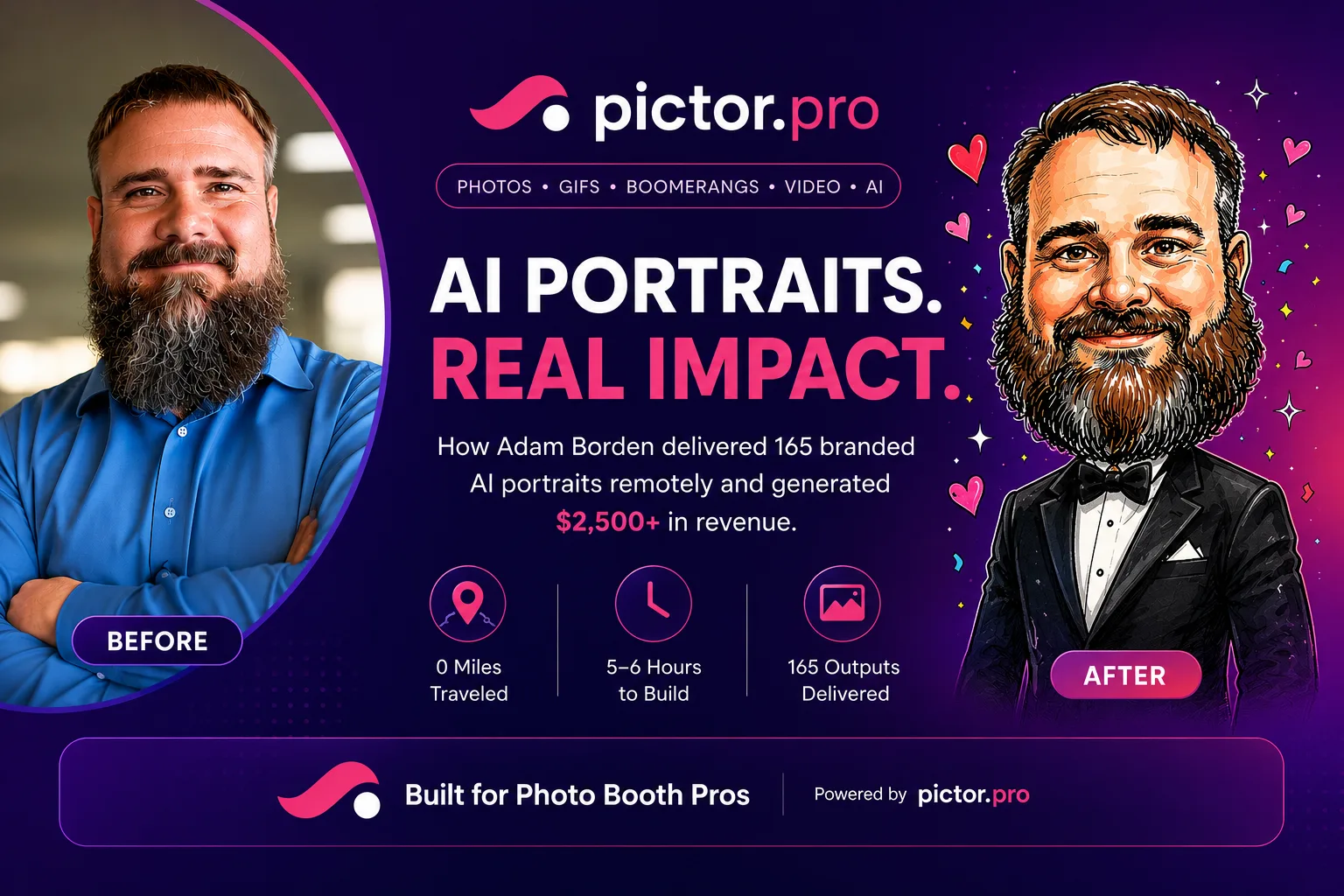
AI samples can make your portfolio more memorable, but present them carefully. The strongest format is a before-and-after pair: original guest photo, AI-transformed result, and a short caption explaining the style. Group examples are especially valuable, since many AI systems perform well with one person but struggle with multiple faces. Pictor’s GroupSense™ technology is designed to preserve likeness and detail in group images; if you include group transformations, show enough of the original image for viewers to understand what changed.
Don’t present every AI style you test. A smaller set of intentional, appropriate examples builds more trust than a crowded gallery of inconsistent results.
Include GIFs, boomerangs, and print layouts
Static images alone don’t show the full range of a modern photo booth experience. Add two or three motion examples per collection, like a couple turning toward the camera or friends jumping in celebration, and choose movements that are easy for guests to repeat. Make sure previews load quickly on mobile.
Even if you plan to focus on digital delivery, print examples help clients understand the complete experience. Create at least three layouts: a classic photo strip with three or four images and a small logo, a wedding 4×6 with one larger image and a restrained overlay, and a corporate branded print with a clean logo treatment. Avoid filling every layout with branding; an overlay should make content feel connected to the event without looking like an advertisement.
Create a gallery that feels like a real delivery
Your portfolio shouldn’t only show individual images. Create one sample gallery for your wedding concept and one for your corporate concept, each with a cover image, eight to twelve strong photos, two or three GIFs or boomerangs, a few AI transformations, one or two print layouts, and a short description of the experience. Group images by purpose (featured moments, AI transformations, GIFs, prints, behind the scenes) rather than uploading everything in the order you created it.
Add setup and behind-the-scenes photos
Potential clients want to see the result, but also want reassurance that you can operate professionally. Photograph your backdrop and lighting, the event area before guests arrive, your branded materials, and your organized equipment. These images don’t need to look like advertisements; they should look clean and intentional. A well-lit, organized setup says more than a pile of expensive gear.
Label sample work honestly
There’s nothing wrong with using styled shoots, mock events, or personal projects in your portfolio. The problem is presenting them as paid client work when they weren’t. Use clear labels: “portfolio sample,” “styled wedding shoot,” “corporate experience concept,” or “AI transformation demo.” You can add a short note like: “This gallery is a styled portfolio example created to demonstrate a wedding experience. It isn’t from a paid client event.” That transparency builds trust, and you can replace sample work with real event images, testimonials, and case studies as your business grows.
Which Pictor plan do you need to build portfolio samples?
Most new operators build wedding and corporate samples on Basic ($49/mo) or a free trial. Move to Pro ($99/mo) for the Custom Prompt Editor when your portfolio needs custom AI transformations beyond the preset library. Printing is available on every plan for your sample print layouts. Compare all plans.
Ready to build your two sample galleries? Start free on Pictor →
Use this simple portfolio structure
A clear one-page structure is enough: an opening section on the events you serve, a wedding gallery, a corporate gallery, an AI transformations section with before-and-afters, a GIFs and boomerangs section, a behind-the-scenes section, a packages or next-steps section, and a clear contact section. Keep your strongest examples near the top; prospects may never reach the bottom of the page, so your first six to eight images should communicate your quality and range immediately.
A final portfolio checklist
Before sending your portfolio to prospects, confirm it includes one wedding-style sample, one corporate-style sample, clear before-and-after AI examples, at least one group transformation, GIFs and boomerangs, wedding and corporate overlays, at least two print layouts, a sample gallery, setup and behind-the-scenes photos, honest labels for styled or sample work, a clear contact method, and mobile-friendly pages and media.
You don’t need a decade of experience to look prepared. You need a portfolio that makes the experience easy to picture. Start with two focused sample events, build them in a repeatable workflow, and show the formats your clients can actually book.
This guide is for general business planning and isn’t legal or insurance advice. Consult your insurance provider about appropriate coverage for your equipment, business activities, and events, and a qualified lawyer about contracts, liability, privacy, consent, and intellectual property before publishing your portfolio.
FAQ
How do I build a photo booth portfolio with no paid events yet?
Build two realistic sample shoots, typically one wedding-style and one corporate-style, using friends or your network to simulate the event. Label the work honestly as a styled shoot or portfolio sample, and organize it around the questions real clients ask before booking.
Is it okay to use styled shoots in my portfolio?
Yes, as long as you label them clearly as styled shoots, demos, or concepts rather than presenting them as paid client work. Transparency about staged content builds more trust than hiding it.
How many images should a new operator’s portfolio have?
Quality matters more than quantity. A focused portfolio with one strong wedding gallery and one strong corporate gallery, each with eight to twelve photos, a few GIFs, and honest AI examples, beats a crowded gallery of inconsistent results.
Should I include AI photos in my photo booth portfolio?
Yes, shown as before-and-after pairs with the original photo, the AI result, and a short caption. Group transformations are especially valuable since many AI systems struggle with multiple faces, so a well-preserved group shot builds confidence.
Do I need print samples if I plan to offer digital-only delivery?
Print examples still help clients understand the complete experience, even if most of your bookings are digital-only. Three layouts, a classic strip, a wedding 4×6, and a corporate branded print, are usually enough.
What’s the biggest mistake new operators make with their portfolio?
Presenting styled or speculative work as real client events. It’s a trust problem, not a quality problem: label sample work honestly, and replace it with real event photos and testimonials as your business grows.
Next in the series: The First Photo Booth Event Checklist, with a downloadable printable checklist.
Beginner series · Stage 2 of 5 · Part 10 of 22
Start here: How to Start a Photo Booth Business
Previous: Photo Booth Marketing for Beginners
Next: The First Photo Booth Event Checklist