65 AI Photo Booth Prompts That Nail Every Look (With the Formula Behind Them)
65 AI photo booth prompts by event type, the six-part prompt formula, a likeness guard for group shots, and a pre-event testing checklist.
Nicholas Rhodes
Drafted with AI assistance; reviewed and approved by Nicholas Rhodes before publishing.
What makes a good AI photo booth prompt?
A good AI photo booth prompt names six things: the subject, the styling, the lighting, a lens or film reference, the mood, and what must not change. Lead with a likeness guard (“preserve every guest’s real face, skin tone, hairstyle, clothing and proportions”), then add one style, one setting, and one lighting direction. Below are 65 prompts built that way, sorted by event type, plus how to use reference images, protect group shots, and test before the event.
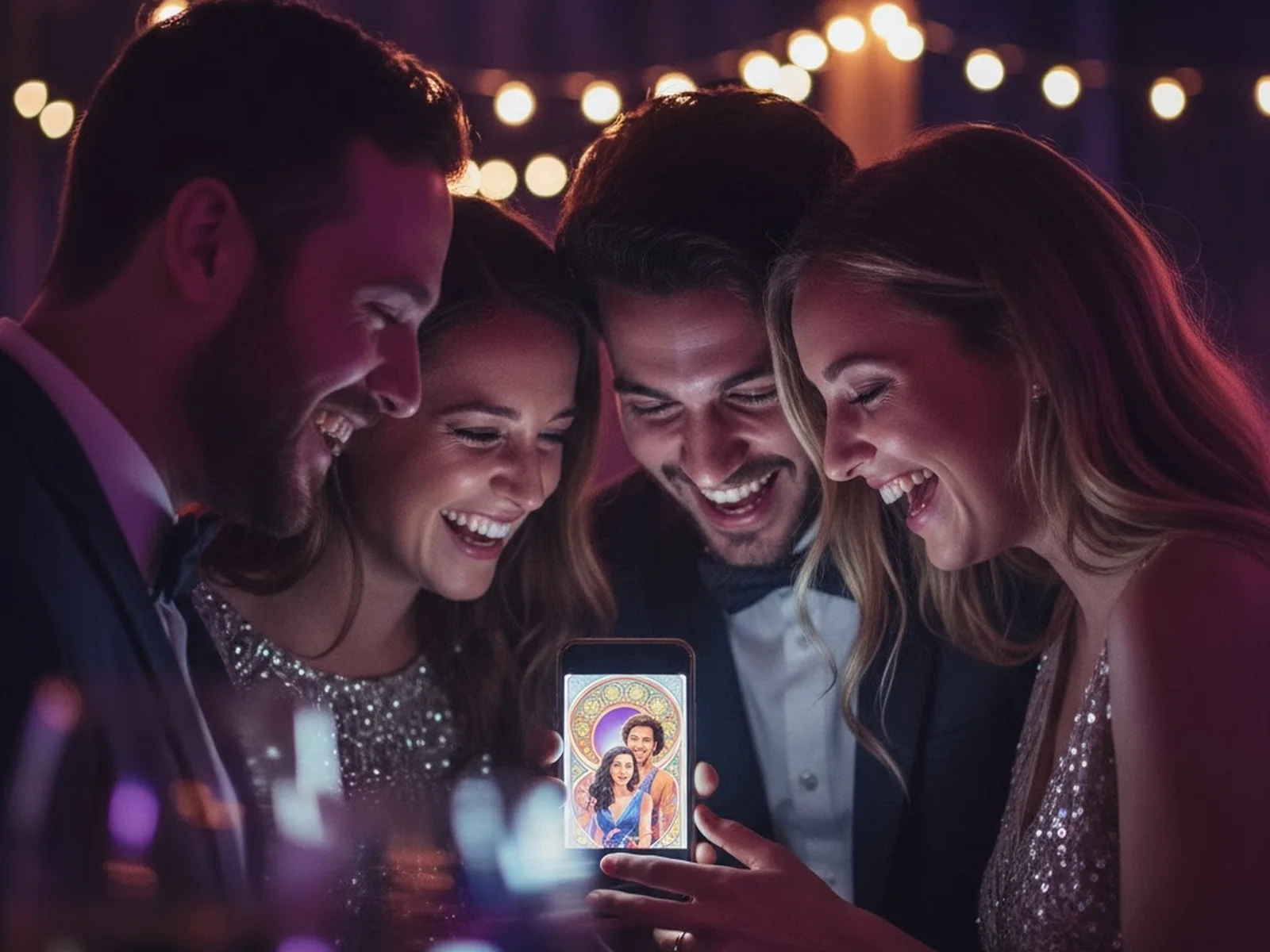
A good AI photo booth prompt does not need to be long. It needs to be clear about what should change, what should stay recognizable, and what the final image should feel like. That is the difference between an AI effect guests love and one you quietly remove from your event menu.
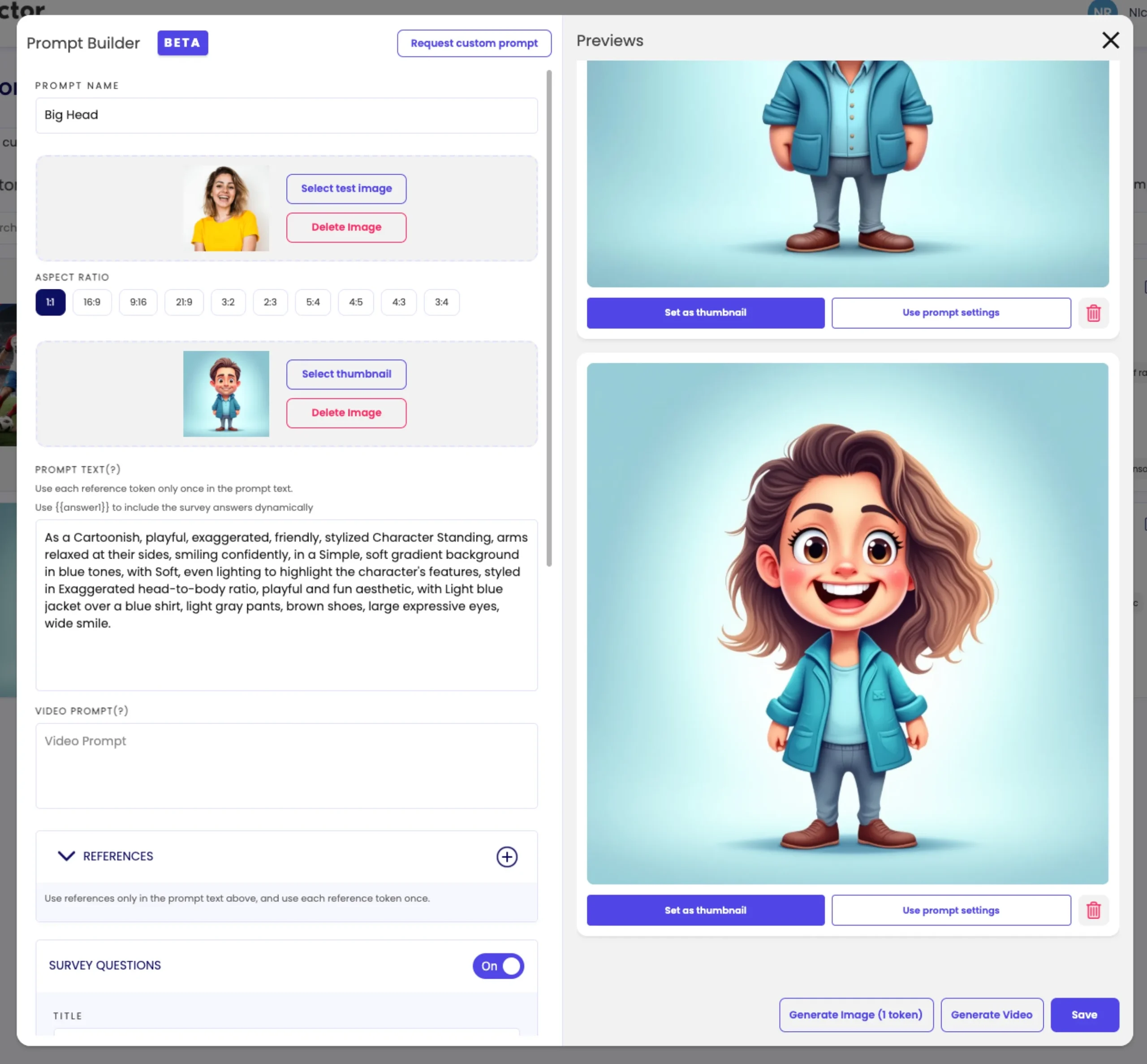
In Pictor, prompts live in the Custom Prompt Editor on Pro and Premium plans, and each prompt runs on its own, so every prompt here is written to stand alone. Copy any of them into the editor as-is, then adjust the styling line to the client.
What makes an AI photo booth prompt work?
Most reliable photo booth prompts include six ingredients:
The prompt formula
Six ingredients, in this order
- 0Boundaries firstWhat the AI must leave unchanged. Faces, skin tone, hair, clothing, proportions, number of people. Put this at the top so nothing later overrides it.
- 1SubjectWho or what is in the photo. “Guests”, “the couple”, “a group of four”. Keep it as literal as the capture.
- 2StylingThe visual world around them. Editorial studio, rooftop in Paris, watercolor garden, 1970s living room.
- 3LightingSoft studio light, golden hour, direct flash, neon, candlelight. One direction, not three.
- 4Lens or film reference35mm film, Polaroid, editorial photography, wide-angle. This is the fastest way to get a consistent finish.
- 5MoodElegant, playful, dramatic, nostalgic, energetic. One word the client would use.
A useful base instruction, the likeness guard, goes at the top of every prompt:
Preserve every guest’s real face, skin tone, hairstyle, body shape, clothing, accessories, and natural proportions. Keep all people visible and recognizable. Only transform the setting, styling, lighting, and color treatment.
Add your creative direction after that. Specificity beats length. “Make us look cool” gives the software very little to work with. “High-fashion editorial portrait, sculptural shadows, deep emerald backdrop, glossy magazine lighting” gives it a focused visual brief.
65 AI photo booth prompts by event type
Treat these as starting points. Test them with your own camera, lighting, guest mix, and brand requirements before using them at an event. Each prompt below assumes the likeness guard is already at the top.
Vintage film and analog looks
Use these for weddings, nostalgic parties, retro activations, and guests who want something more editorial than cartoon-like.
- 1970s 35mm film portrait, warm grain, muted colors, natural flash, candid editorial composition.
- 1990s disposable-camera party photo, direct flash, soft motion blur, playful candid energy.
- Classic Polaroid portrait, creamy highlights, gentle shadows, faded color, authentic instant-film texture.
- 1960s studio portrait, soft monochrome lighting, subtle film grain, elegant mid-century composition.
- Super 8 celebration scene, warm amber tones, visible film texture, joyful candid movement.
Editorial fashion
Use these when your client wants a premium magazine feel, especially for fashion, beauty, and upscale brand events.
- High-fashion editorial portrait, sculptural studio lighting, neutral backdrop, refined magazine composition.
- Glossy fashion campaign, bold color blocking, clean shadows, confident posture, luxury styling.
- Avant-garde studio portrait, dramatic side lighting, geometric set design, sophisticated editorial mood.
- Minimalist fashion cover, ivory background, soft directional light, polished styling, restrained composition.
- Street-style editorial, urban architecture, late-afternoon light, candid movement, premium magazine photography.
Cinematic movie-poster looks
Use these for themed parties, entertainment brands, fundraisers, and events where guests want a bigger-than-life result.
- Cinematic adventure poster, sweeping mountain landscape, golden backlight, epic but realistic atmosphere.
- Neo-noir film poster, rainy city street, deep blue shadows, cinematic rim lighting.
- Classic romantic drama poster, sunset skyline, warm lens flare, elegant cinematic composition.
- Space exploration poster, realistic spacecraft interior, dramatic window light, premium science-fiction mood.
- Mystery thriller poster, foggy forest, controlled contrast, subtle tension, recognizable faces.
Painting and fine-art styles
Use these when you want artistic transformation without losing the guests’ identity. Keep the setting simple so the faces remain the focus.
- Contemporary oil portrait, visible brush texture, rich jewel tones, museum-quality composition.
- Watercolor garden portrait, soft edges, luminous color, delicate natural light, elegant finish.
- Art nouveau poster, flowing botanical details, decorative lines, warm vintage palette.
- Impressionist celebration scene, dappled sunlight, expressive brushwork, joyful color harmony.
- Charcoal and pastel portrait, textured paper feel, soft contrast, refined gallery presentation.
Sketch and illustration styles
These are among the most distinctive looks you can offer, and the most likely to distort faces if the likeness guard is weak. Repeat the guard inside the prompt, and start with a clean, well-lit capture against a simple background.
- Graphite pencil sketch portrait, visible pencil strokes, layered graphite shading, subtle cold-press paper texture; preserve every guest’s real face, skin tone, hairstyle, body shape, clothing, accessories, and natural proportions.
- Fine-line ink drawing, clean contour lines, delicate cross-hatching, off-white art paper finish; preserve every guest’s real face, skin tone, hairstyle, body shape, clothing, accessories, and natural proportions.
- Charcoal life drawing portrait, smudged tonal shading, expressive dark accents, textured sketchbook paper; preserve every guest’s real face, skin tone, hairstyle, body shape, clothing, accessories, and natural proportions.
- Watercolor sketch portrait, loose transparent washes, visible pencil underdrawing, soft cotton-paper texture; preserve every guest’s real face, skin tone, hairstyle, body shape, clothing, accessories, and natural proportions.
- Architectural technical sketch portrait, precise line work, measured perspective, blueprint-inspired background details, crisp drafting-paper feel; preserve every guest’s real face, skin tone, hairstyle, body shape, clothing, accessories, and natural proportions.
- Fashion illustration sketch, elongated elegant lines, light marker color accents, clean white paper presentation; preserve every guest’s real face, skin tone, hairstyle, body shape, clothing, accessories, and natural proportions.
- Comic-book ink sketch portrait, bold outlines, dynamic hatching, graphic shadow shapes, clean printed-paper texture; preserve every guest’s real face, skin tone, hairstyle, body shape, clothing, accessories, and natural proportions.
- Sepia-toned vintage engraving portrait, fine etched lines, delicate shading, antique paper texture; preserve every guest’s real face, skin tone, hairstyle, body shape, clothing, accessories, and natural proportions.
- Pastel sketch portrait, soft blended color, powdery texture, visible tooth of the paper, gentle edges; preserve every guest’s real face, skin tone, hairstyle, body shape, clothing, accessories, and natural proportions.
- Minimalist single-line contour portrait, elegant continuous line work, restrained abstract styling, clean gallery-paper finish; preserve every guest’s real face, skin tone, hairstyle, body shape, clothing, accessories, and natural proportions.
Holiday and seasonal effects
Use these for seasonal parties and corporate celebrations. Keep the holiday styling tasteful and leave room for client branding.
- Elegant winter portrait, softly falling snow, silver-blue palette, warm flattering light.
- Festive holiday card scene, evergreen branches, candlelight, deep red and gold accents.
- Autumn editorial portrait, copper leaves, golden-hour sunlight, rich earthy color palette.
- Spring garden portrait, pastel flowers, luminous morning light, fresh editorial styling.
- Tropical summer celebration, vibrant foliage, sunset lighting, colorful resort atmosphere.
Corporate activations and branded events
Use these when the image needs to feel polished, on-brand, and appropriate for sharing. Add the client’s actual colors and visual rules in the prompt editor, or attach the brand assets as a reference.
- Premium corporate portrait, clean architectural background, confident posture, soft studio lighting.
- Modern innovation campaign, luminous blue and violet gradients, crisp editorial photography, optimistic mood.
- Luxury hospitality portrait, elegant interior, warm ambient lighting, polished magazine finish.
- Bold startup campaign, colorful geometric set, energetic composition, professional but approachable styling.
- Sustainable brand portrait, natural textures, botanical details, soft daylight, modern editorial look.
Wedding-appropriate prompts
Use these when the couple wants something memorable but still elegant enough for a wedding gallery.
- Timeless wedding portrait, soft candlelight, ivory and champagne tones, romantic editorial finish.
- European garden wedding scene, blooming flowers, golden-hour light, natural elegant composition.
- Black-and-white wedding photograph, classic film grain, soft contrast, authentic emotion.
- Luxury reception portrait, sparkling lights, refined evening styling, warm cinematic atmosphere.
- Modern bridal editorial, clean architectural setting, soft directional light, understated sophistication.
Group-shot friendly prompts
Use these with the strongest likeness instructions. Tell the software to keep every guest, preserve the original spacing, and avoid merged bodies or overlapping faces. Pictor’s GroupSense™ handles each face in the frame individually, so the prompt’s job is to keep the composition intact.
- Transform the background into a colorful festival scene while preserving every person’s face, position, and clothing.
- Create a polished studio group portrait with soft lighting; keep all guests visible and recognizable.
- Place the group in a cinematic city scene; preserve every face, body proportion, pose, and accessory.
- Turn the group into an editorial fashion campaign; maintain the original group composition and spacing.
- Apply a warm vintage film treatment only; do not change faces, clothing, expressions, or the number of people.
Playful, social-first looks
Use these for parties, festivals, birthdays, and events where speed and shareability matter more than realism.
- Colorful comic-book portrait, bold ink lines, energetic halftone texture, expressive but recognizable faces.
- Retro arcade character portrait, neon lighting, pixel-inspired background, playful high-energy composition.
- Surreal candy-colored studio, oversized props, soft shadows, joyful fashion editorial style.
- Music-video portrait, vibrant colored lights, dynamic pose, glossy high-contrast finish.
- Playful sticker-inspired scene, bright shapes, clean outlines, celebratory social-media aesthetic.
Travel and fantasy worlds
Use these when guests want a sense of escape. Describe the environment clearly, but avoid asking for too many objects at once.
- Golden-hour rooftop in Paris, warm city light, elegant travel editorial, realistic atmosphere.
- Misty mountain lodge, cozy textures, cool morning light, cinematic portrait composition.
- Underwater editorial portrait, suspended light rays, flowing fabric, dreamy but realistic finish.
- Futuristic botanical greenhouse, glowing plants, violet ambient light, polished cinematic photography.
- Desert road-trip portrait, wide landscape, late-afternoon sun, nostalgic 35mm film treatment.
Bonus prompts for branded templates
Use these when you want a repeatable look across a client’s event gallery. In Pictor, attach the logo or brand palette as a reference so the model works from the real asset instead of a description.
- Use the brand palette of violet, rose, and warm cream in a polished editorial portrait with soft studio light.
- Create a clean campaign image with generous negative space on the right for a client-approved logo overlay.
- Apply a premium magazine treatment while keeping the supplied brand colors consistent across the background and lighting.
- Create a celebratory portrait using the event’s approved colors, elegant gradients, and realistic professional photography.
- Match the supplied reference image’s lighting and color mood while preserving every guest’s exact likeness.
Get the AI Photo Booth Prompt Pack
All 65 prompts as a printable checklist, the likeness guard, a prompt-formula worksheet, reference and group-shot checklists, a pre-event testing sheet, and three AI prompts that write new prompts in your client's brand. Enter your email and we will send it to you.
We email the link so we know it reaches a real inbox. One email, no list, no drip.
What does a good prompt actually produce?
Two real Pictor outputs, from work we have published before.
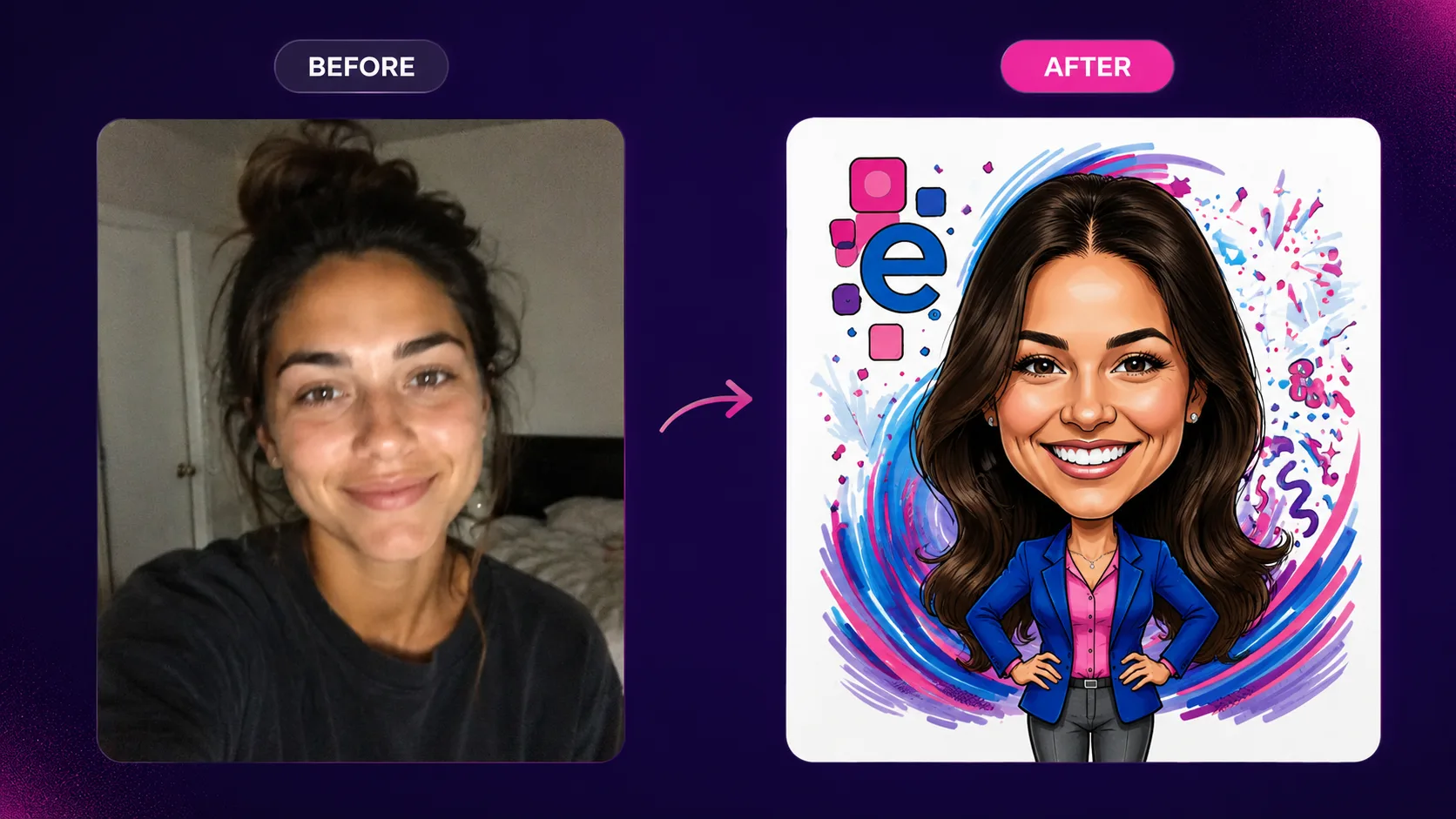
The caricature above came from the Adam Borden case study: a branded corporate headshot activation where the prompt fixed the art style, the color palette, and the client’s logo, and left the face alone. Same person, instantly recognizable, on brand.
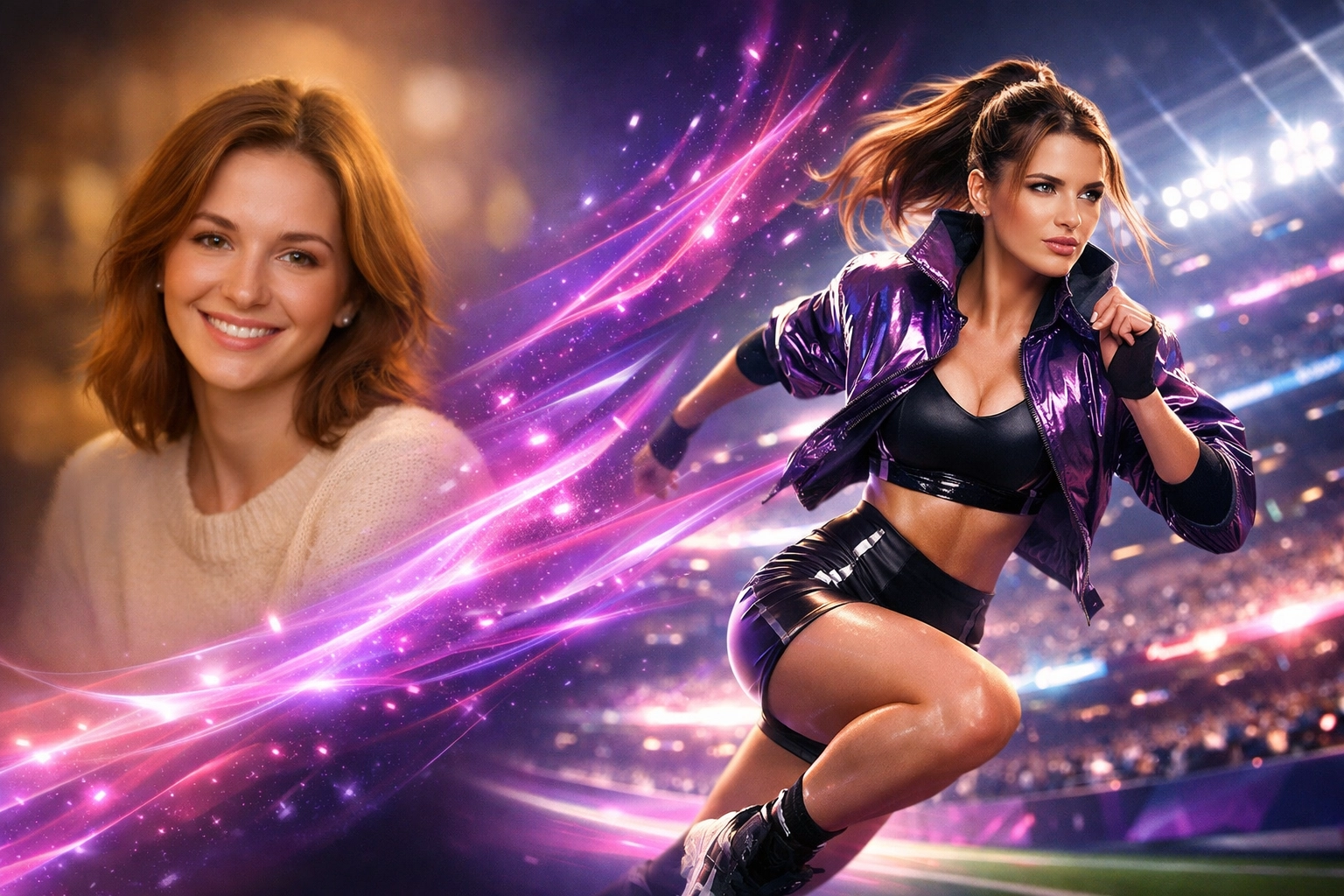
The sports action shot came from our prompt-to-event Show & Tell, where a generated uniform reference image with a fictional logo gave the AI something concrete to work from. Describing a uniform in words and hoping is how you get a phantom Adidas stripe.
Results vary with the source photo, camera, lighting, guest pose, and event conditions. Test every prompt with representative captures before using it live.
How do you use reference images in AI photo booth prompts?
In Pictor, references are reusable visual assets (logos, objects, or styles) you attach to a prompt to guide generation, up to four images per reference. They do two different jobs, so be explicit about which one you mean:
- Style reference: shows the color palette, lighting, composition, or visual era you want.
- Brand or object reference: a logo, a product, a uniform, a prop the AI should reproduce faithfully.
Tell the model what the reference is for:
Use reference image 1 for lighting and color palette. Preserve the people in the captured photo exactly.
Choose references without distracting text, watermarks, or recognizable third-party branding. For a corporate activation, use the client’s approved visual assets rather than a random internet image. When you need a uniform, prop, or product the model keeps getting wrong, generate a clean reference of it (a flat-lay with a fictional logo works well) and attach that. The Custom AI Prompts guide covers the reference workflow step by step.
How do you protect likeness in group shots?
Group photos are where weak prompts fail. People disappear, faces merge, and clothing details change.
Pictor’s GroupSense™ detects and preserves each individual face in a group photo, so every person receives the transformation individually rather than being blended together. It is included on every plan, and a group shot costs the same tokens as a single face. Your prompt still matters. Include instructions such as:
- Keep every person in the original image.
- Preserve the original group spacing and composition.
- Keep each face distinct and recognizable.
- Do not merge bodies, faces, hands, or accessories.
- Do not add or remove people.
- Preserve text on clothing where possible.
Start with the likeness guard, then change the setting, color treatment, and artistic style.
What are the most common AI prompt mistakes?
Over-stuffing the prompt. Listing twenty visual ideas usually produces none of them well. Choose one primary style, one setting, and one lighting direction.
Conflicting styles. “Photorealistic watercolor comic-book oil painting” gives the software competing instructions. Pick the dominant finish and use supporting details sparingly.
Negative instructions that backfire. “No Adidas” puts the word Adidas in the prompt, and the model often obliges. Describe what you want, not what you do not want, and use a reference image for anything the model keeps inventing.
Chained prompts. If you ask an AI assistant to write four variations, it may write prompt 2 as “the same person from prompt 1”. Each Pictor prompt runs independently, so every prompt must be a complete, standalone description.
Forgetting the brand. For activations, include approved brand colors, logo placement requirements, background treatments, and any clothing or product details that must remain accurate, or attach them as references.
Asking for text inside the image. AI-generated text is still unreliable. Use Pictor’s overlays for names, event details, slogans, and logos. If text must appear in the generated image, specify the exact wording and ask for it to be clearly legible.
Testing on one perfect portrait. A prompt that works on one centered portrait may fail with four guests, a side pose, glasses, darker clothing, or uneven lighting. Test broadly.
How do you test AI prompts before an event?
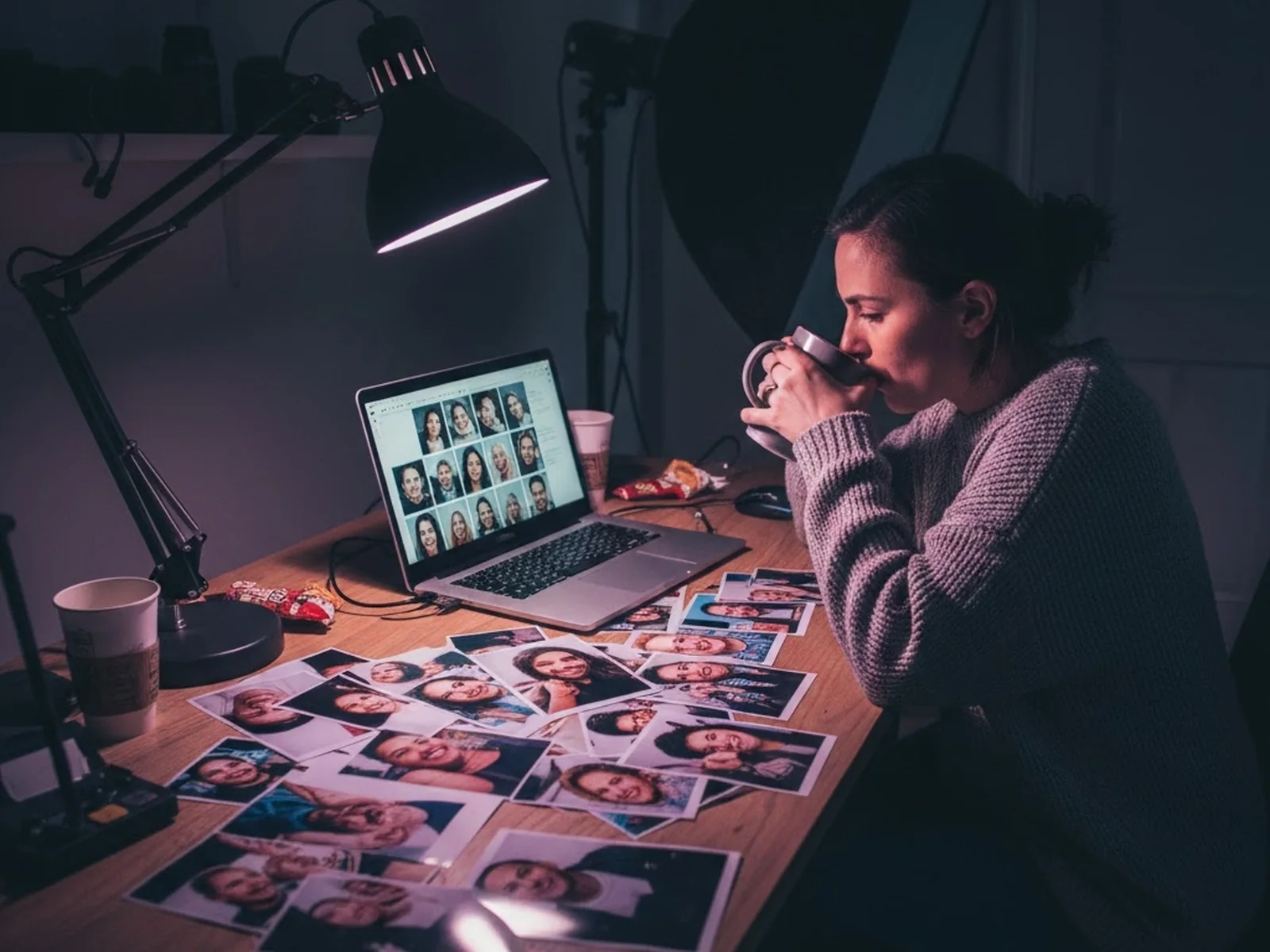
- Start with one short prompt and the likeness guard.
- Test it on single portraits and groups of three or more.
- Include different ages, hairstyles, complexions, clothing colors, and poses.
- Check faces, hands, accessories, logos, and the number of people.
- Remove any instruction that creates inconsistent results.
- Run the strongest version several times to check repeatability.
- Save the winner in your Custom Prompts list and select it in the event’s AI Settings.
- Test the complete flow: capture, generation, gallery delivery, sharing, and branding.
The best AI photo booth workflow is not the one with the cleverest prompt. It is the one that produces a dependable result when the queue is moving and real guests are standing in front of your booth.
The full method, with the 12 test captures, the five checks, and the pass rule, is in how to test AI photo booth prompts before an event. That post also has a free nine-capture synthetic test set you can run these prompts on tonight.
Which Pictor plan do you need for custom prompts?
Plans for AI prompts
Presets on Basic. Your own prompts from Pro.
-
Basic · $49/mo
AI presets and library
Ready-made AI looks you can run today. No custom prompt editor, so the 65 prompts above stay on the shelf until you upgrade.
-
Pro · $99/mo · recommended
Custom Prompt Editor + references
Write and save your own prompts, attach up to four reference images, digital props, background removal, DSLR tethering. Everything in this guide runs on Pro.
-
Premium · $149/mo
Everything in Pro, plus AI video
Turn the same prompt into a five-second AI video (5 to 15 tokens per render). Virtual Booth included. The plan for clients who want a second premium upsell.
-
Tokens · every plan
1 to 2 tokens per AI image
Bundles from $0.20 down to $0.07 per token, and tokens never expire. GroupSense is on every plan, and a group shot costs the same as one face.
Plans as of publish date. Current pricing and plan details: pictor.pro/pricing.
The arithmetic for an operator: a prompt from this list run at the high-quality setting costs two tokens, which is between $0.14 and $0.40 depending on your bundle. Operators report charging 30 to 60 percent more for AI experiences than traditional-only packages. Full numbers on the AI pricing page, and a walkthrough of packaging AI as an upsell in the 2026 guide to pricing AI photo experiences.
Try three prompts tonight
Paste any prompt above into your Pictor account and run it on your own test photos
Create a free account, open Custom Prompts, paste the likeness guard plus one style line, and generate. You will know which looks suit your camera and lighting before you promise one to a client.
No credit card required
FAQ
What is a good AI photo booth prompt?
A good AI photo booth prompt starts with a likeness guard (preserve every guest’s real face, skin tone, hairstyle, clothing and proportions), then names one style, one setting, one lighting direction, a lens or film reference, and a mood. Under 40 words is usually enough. Specific beats long.
How do I keep faces recognizable in AI photo booth images?
Put the likeness guard at the top of the prompt, keep the background simple, use a clean well-lit capture, and test on groups as well as single portraits. In Pictor, GroupSense processes each face in a group individually so people are not blended together, and it is included on every plan.
Can I use my client’s logo or brand colors in an AI prompt?
Yes. In Pictor, attach the logo, product, or brand palette as a reference (up to four images per reference) so the model works from the real asset. For text such as names or slogans, use an overlay rather than asking the AI to render the text.
How many tokens does an AI photo booth image cost?
In Pictor, an AI image costs 1 token at the low setting or 2 tokens at the high setting. Token bundles run from $0.20 per token down to $0.07 in the largest bundle, and tokens never expire. Group shots cost the same as a single face.
Which Pictor plan do I need to write my own prompts?
Custom AI prompts require Pro ($99 a month) or Premium ($149 a month). Basic includes AI presets and the preset library only. AI video from a prompt is a Premium feature.
Should I ask the AI to add text to the image?
No. AI-generated text is still unreliable. Use Pictor’s template overlays for names, dates, slogans and logos. If text must be generated, specify the exact wording and ask for it to be clearly legible, then test it several times.
When you are ready to turn these prompts into branded experiences, the free account includes everything you need to build and test a template.
Photo booth software built by operators
Run all 65 prompts on Pictor Pro
Custom Prompt Editor, reference images, GroupSense on every plan, and tokens that never expire. Start on Pro at $99 a month per device.
No credit card required · Tokens never expire
Take all 65 prompts with you
All 65 prompts as a printable checklist, the likeness guard, a prompt-formula worksheet, reference and group-shot checklists, a pre-event testing sheet, and three AI prompts that write new prompts in your client's brand. Enter your email and we will send it to you.
We email the link so we know it reaches a real inbox. One email, no list, no drip.