Photo Booth Software for Beginners: What Matters and What Doesn’t
A 10-point evaluation checklist covering setup time, capture modes, sharing, printing, hardware compatibility, and support, so you can choose your first platform with confidence.

Nicholas Rhodes
Drafted with AI assistance; reviewed and approved by Nicholas Rhodes before publishing.
What photo booth software do beginners actually need?
The right photo booth software isn’t the platform with the longest feature list. It’s the one that matches your hardware, supports the experience you’re selling, and keeps working when an event gets busy. For a first event, prioritize fast setup, reliable capture, sharing, hardware compatibility, and responsive support. Advanced AI, deep analytics, and white-labeling can wait.
Beginner series · Stage 1 of 5 · Part 5 of 22
Part 4 of this series covered your platform and format. This part is about the software running on top of it. This guide targets beginners choosing their first platform; if you already run a booth and want the wedding-specific or full feature-by-feature comparison, see Pictor’s software guide for weddings or the best photo booth software roundup.
Start with your first use case, not the feature list
Before comparing software, decide what you want to offer first. A solo operator attending weddings may need reliable photo capture, printing, sharing, and templates. A venue running an unattended booth may need guest payments, kiosk controls, and remote monitoring. A corporate activation may prioritize branded overlays, lead capture, and reporting. Start with the business model, not the brochure.
1. Setup time matters more than feature count
Your software should make it easy to create an event, select a template, confirm sharing settings, and start capturing. A complicated setup process creates problems before guests arrive, especially in an unfamiliar venue with limited time and shaky Wi-Fi. Look for a guided event-building workflow, reusable event presets, and a quick way to test the guest experience. A good test: build a sample event from scratch and time how long it takes to configure, capture, share, and print if needed.
Pictor is built around this kind of workflow, with Simple Mode for a fast setup. Build and test an event for free before committing to a paid live-event plan. The goal isn’t to avoid learning your software; it’s to avoid relearning it at every event.
2. Capture modes should match what you sell
Most operators need dependable still-photo capture first. From there, software may support GIFs, boomerangs, video, AI-enhanced photos, AI video, and virtual booth experiences. You don’t need all of them on day one. For a first event, prioritize high-quality photo capture, a reliable countdown and preview, simple multi-shot layouts, fast delivery, and a clear fallback if another mode fails. If the camera, lighting, and delivery workflow aren’t reliable, adding more capture modes won’t fix the underlying problem.
3. Sharing is part of the product
Guests expect their photos quickly. Evaluate whether the platform supports SMS, email, QR-code downloads, gallery links, and custom sharing messages, and test what happens when the connection is slow: does the image queue, does the guest see a clear status, can you resend it later? Pictor delivers photos, GIFs, and video through SMS, email, or gallery links, with branding across the guest experience.
4. Printing needs its own evaluation
If you promise prints, test printing before you book a paid event. Don’t assume “printing support” means your exact setup works; check printer model compatibility, print sizes, strip layouts, copies per session, and driver requirements. Pictor’s free Print Partner App is best tested with DNP dye-sublimation printers (DS-RX1, DS620, DS820), with HiTi and standard inkjet or laser also supported, on macOS 15+ or Windows 10 64-bit. Printing is included on every Pictor plan, including Basic. If you’re digital-only for now, this can wait, but if prints are part of your package, testing them is not optional.
5. Templates and branding help you sell the experience
Templates aren’t decoration; they’re how a client sees their event reflected in the final photo. Your software should make it easy to add logos, change colors, include event names and dates, build photo-strip and 4×6 layouts, and reuse a design for future events. For weddings, that might mean matching the couple’s stationery. For corporate events, it usually means following brand guidelines exactly. You don’t need complex design skills to start; you need a repeatable way to create a polished event.
6. Hardware compatibility can change your costs
Choose software that works with equipment you already own or realistically plan to buy. Pictor has native apps for iPad and Android, plus tethered Canon, Nikon, and Sony DSLR support on Pro and Premium plans. Mac and Windows operators currently use Pictor’s browser-based Virtual Booth rather than a native desktop app. Before subscribing, confirm your tablet or computer, camera model, operating system, and printer driver are all supported. Check the current camera and hardware compatibility page. A low monthly price isn’t a bargain if you have to replace your camera to use it.
7. Offline reliability is a real event requirement
Many venues have unreliable Wi-Fi, crowded networks, or login systems that make connecting difficult. Ask what the software does when the connection drops. Ideally the booth keeps capturing and queuing locally while sharing and cloud processing wait for reconnection. Pictor stores captures locally and syncs when the connection returns; AI processing and delivery still need an internet connection, so test your venue’s network and bring a mobile hotspot when needed. “Works through a connection problem” isn’t the same as “fully offline.”
8. AI quality matters, but not before reliability
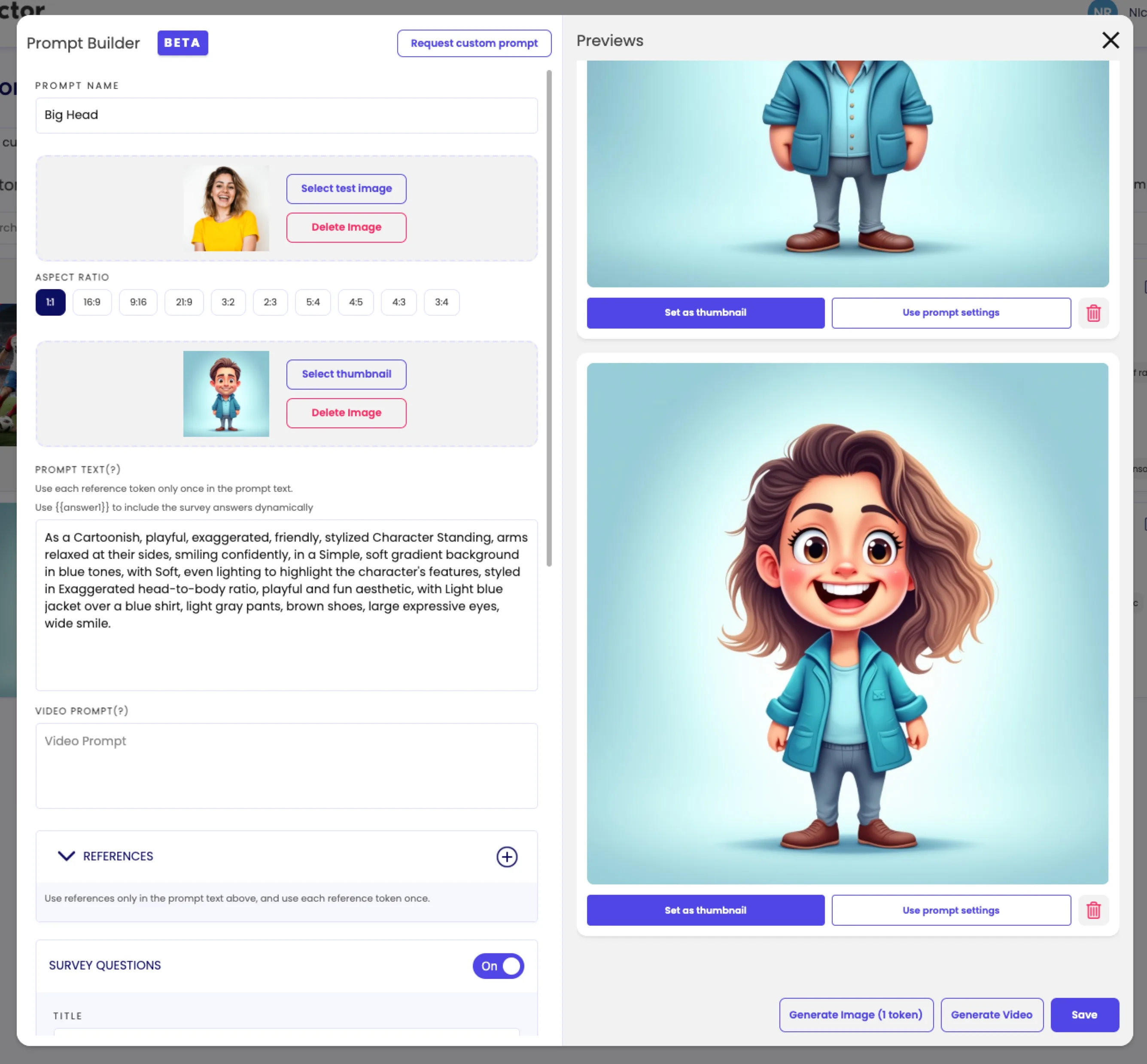
AI effects can help you stand out, but evaluate the output carefully: consistent likeness preservation, clean faces and hands, accurate group transformations, fast processing, and clear token costs. Pictor’s AI tools include presets, custom prompting on Pro and above, background removal, GroupSense™ for group images, and AI video on Premium. Test more than one photo type, including a large group and different skin tones and accessories; a polished single-person demo doesn’t tell you how the system handles a wedding party.
9. Support is part of the software
Live events don’t happen during convenient hours. When a camera disconnects or a printer stops responding, you need a clear way to get help fast. Check setup documentation, hardware guides, response times, and whether emergency event support exists at all. Pictor includes emergency phone support on every paid plan, specifically for live-event problems like connection issues, app crashes, camera failures, and printing problems; see the emergency support page for current details. For a beginner, responsive support can matter more than an advanced feature you may never use.
10. Analytics and white-labeling are growth features
At event one, you mainly need to know whether the booth worked, how many sessions ran, and whether photos were delivered. Deeper analytics help later, once you’re comparing events and reporting results to corporate clients. White-labeling matters when you’re working with agencies or larger accounts that want the software to appear entirely under their own brand. Don’t pay for reporting or white-label infrastructure before you have a business model that uses it.
What matters at event one, and what can wait
Prioritize immediately: fast setup, reliable photo capture, sharing, printing if promised, templates and branding, hardware compatibility, basic offline resilience, responsive support.
Add as you grow: advanced AI effects, custom prompt tools, AI video, deep analytics, white-labeling, guest paywalls, and remote monitoring.
Self-service is the main exception. If you’re placing a booth in a venue without an attendant, kiosk controls, guest payments, and remote monitoring matter from the beginning. See Pictor for event venues and Virtual Booth for that setup.
A simple software evaluation checklist
Before choosing a platform: create a sample event, add your branding, capture several photos including a group shot, share by SMS, email, and QR code, print a sample if prints are part of your offer, disconnect the internet briefly and observe what happens, test your camera and printer, try the AI features you plan to sell, contact support with a real setup question, and calculate the total monthly and per-event cost. If a platform passes that test, it’s probably ready for event one.
Which Pictor plan matches your software needs?
Basic ($49/mo) covers capture, sharing, printing, and AI Presets. Pro ($99/mo) adds the Custom Prompt Editor and DSLR tethering. Premium ($149/mo) adds AI video and the Virtual Booth. Start with a free trial before you commit. Compare all plans.
Run the full evaluation checklist on your own event, free. Start free on Pictor →
You don’t need the most advanced photo booth software on the market. You need software that helps you deliver a polished guest experience, supports the equipment you can afford, and gives you room to grow.
This article is for general educational purposes, not insurance or legal advice. Before running events, consult your insurance provider about appropriate coverage and a qualified lawyer about contracts, liability waivers, privacy, and local business requirements.
FAQ
What’s the most important feature in photo booth software for beginners?
Reliability: fast setup, dependable capture, and working sharing and printing. A long feature list doesn’t help if the basics fail during a live event.
Do I need AI features for my first event?
No. AI effects can make an event more memorable, but reliability comes first. Test AI output on several photo types, including groups, before you sell it as part of a package.
How do I test photo booth software before an event?
Build a sample event, add your branding, capture and share several photos, print a sample if you offer prints, disconnect the internet briefly, and contact support with a real question. If it passes, it’s likely ready for event one.
Does photo booth software work without internet at a venue?
Most platforms, including Pictor, queue captures locally and sync when the connection returns. AI processing and cloud delivery still need internet, so test the venue’s network and bring a mobile hotspot as backup.
When do I need analytics or white-labeling?
Later. At event one, you mainly need to know whether the booth worked and photos were delivered. Analytics and white-labeling become useful once you’re comparing events or serving agency and corporate accounts.
Can I test photo booth software for free before buying?
Yes. Pictor’s free trial lets you build and test a branded event, including capture and sharing, before you commit to a paid plan for a live event.
Next in the series: How to Build Your First Photo Booth Package, with a downloadable package builder worksheet.
Beginner series · Stage 1 of 5 · Part 5 of 22
Start here: How to Start a Photo Booth Business
Previous: How to Choose Your First Photo Booth Setup
Next: How to Build Your First Photo Booth Package