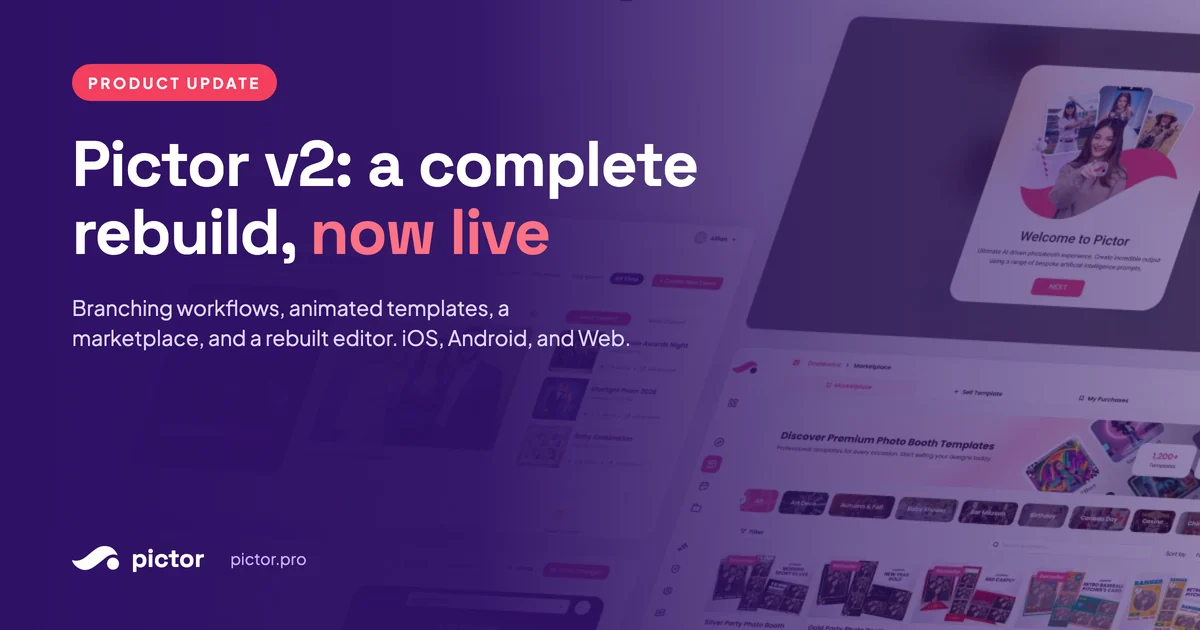
Pictor v2: A Complete Rebuild, Now Live
Pictor v2 is a full rebuild of our photo booth software, shaped by booth companies of all sizes: branching workflows, a marketplace, and more. Try it free.

Nicholas Rhodes
Drafted with AI assistance; reviewed and approved by Nicholas Rhodes before publishing.
What is Pictor v2?
Pictor v2.0.0 is a full rebuild of Pictor’s photo booth software, released September 28, 2026 on iOS, Android, and Web. It has a new web app, a new mobile app and eight new features, led by branching workflows.
Pictor is developed by a photo booth company, so we know what it takes to run one, and we built it for photo booth companies. With v1, we thought we had it right. We didn’t. So we spoke with photo booth companies of all shapes and sizes, from weekend warriors to multinational teams, and asked what they actually needed. v2 is their answer. Every feature in it is there because an operator asked for it.
For boothers, by boothers. That’s how we built v1, and it’s how we’ll keep building. Everything in v2 makes your business easier to run and gives your guests event experiences built for how boothers actually work. Already on Pictor? Update the app. New to Pictor? Start a free trial, no credit card needed.
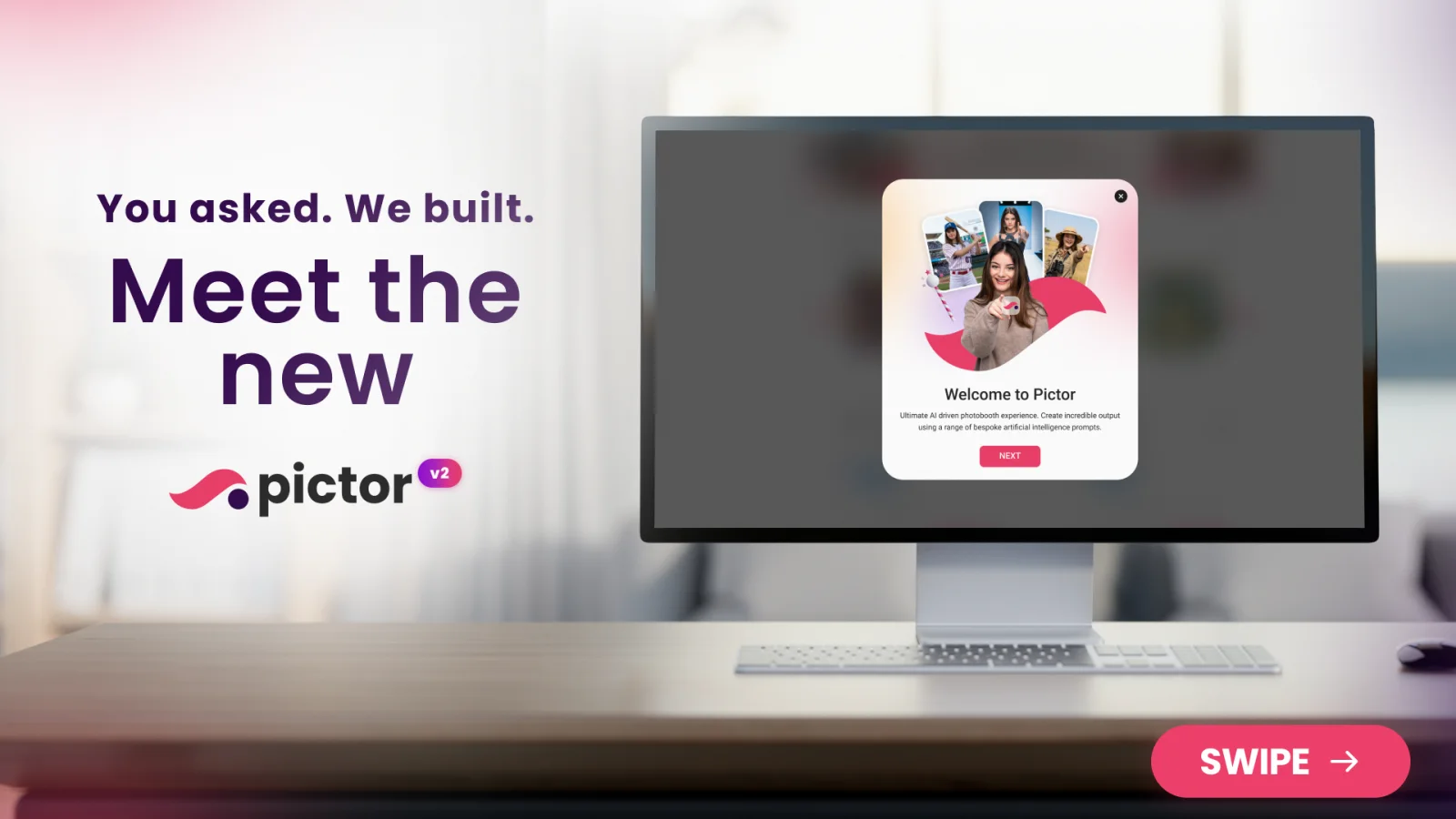
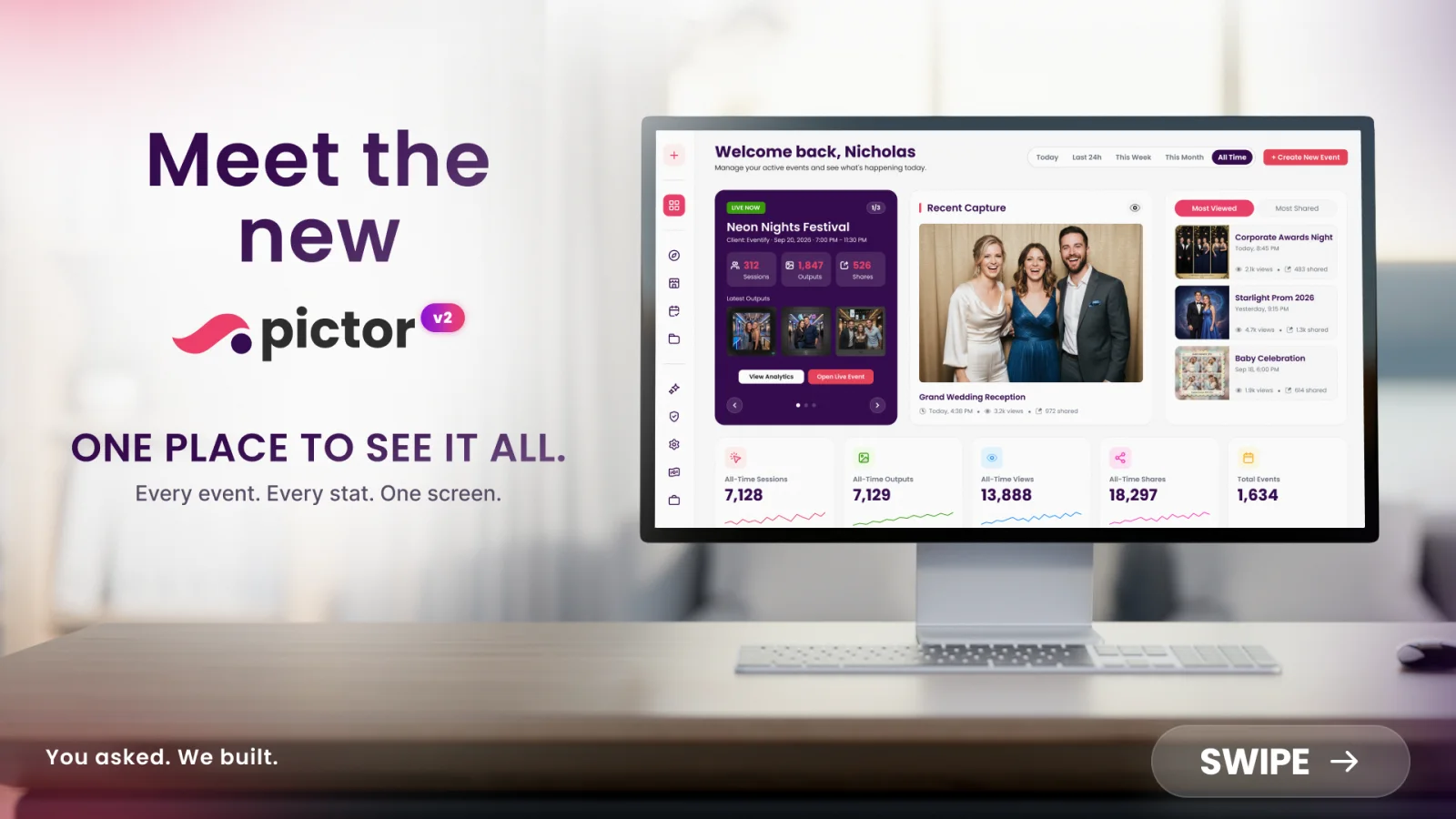
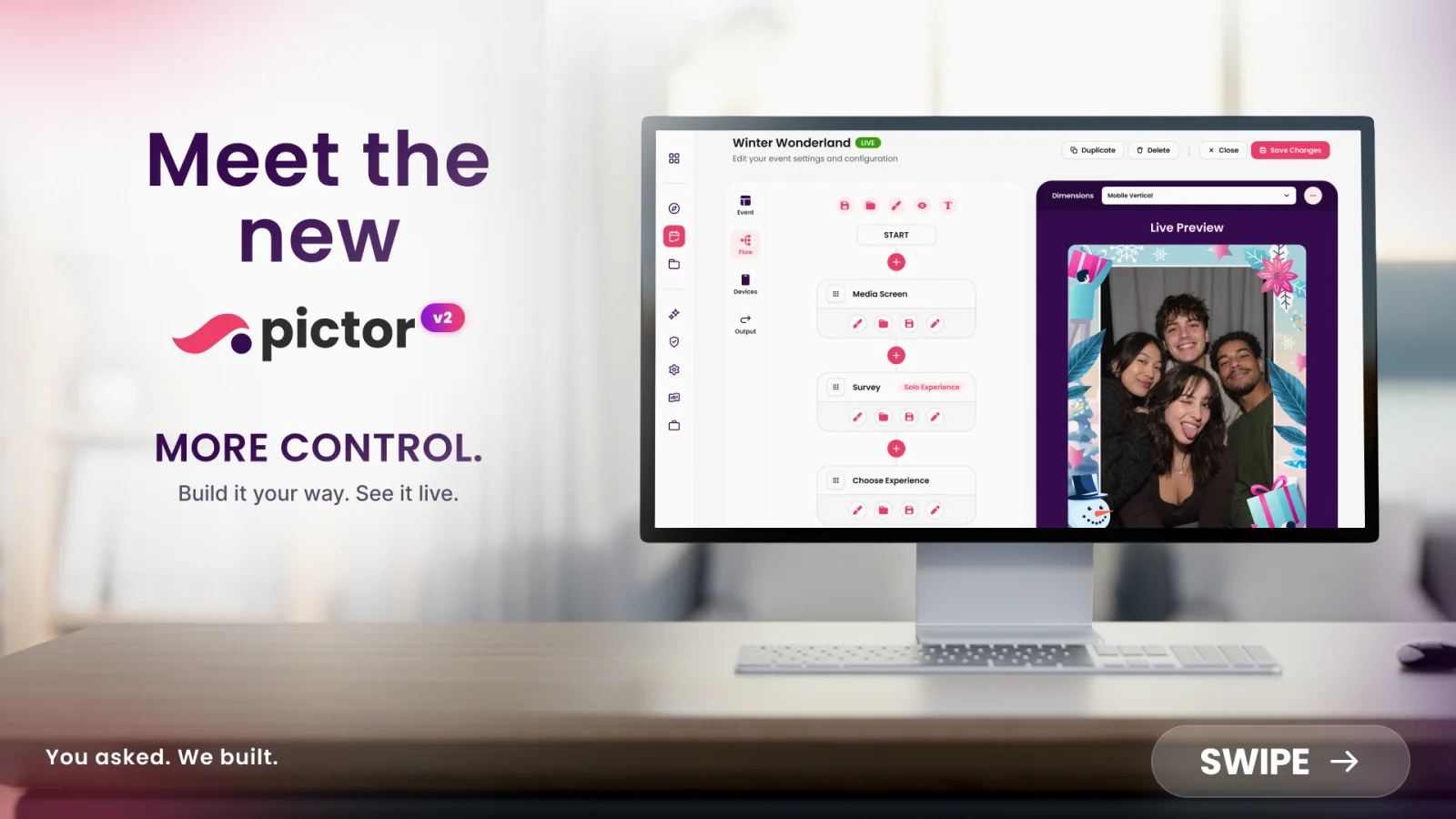
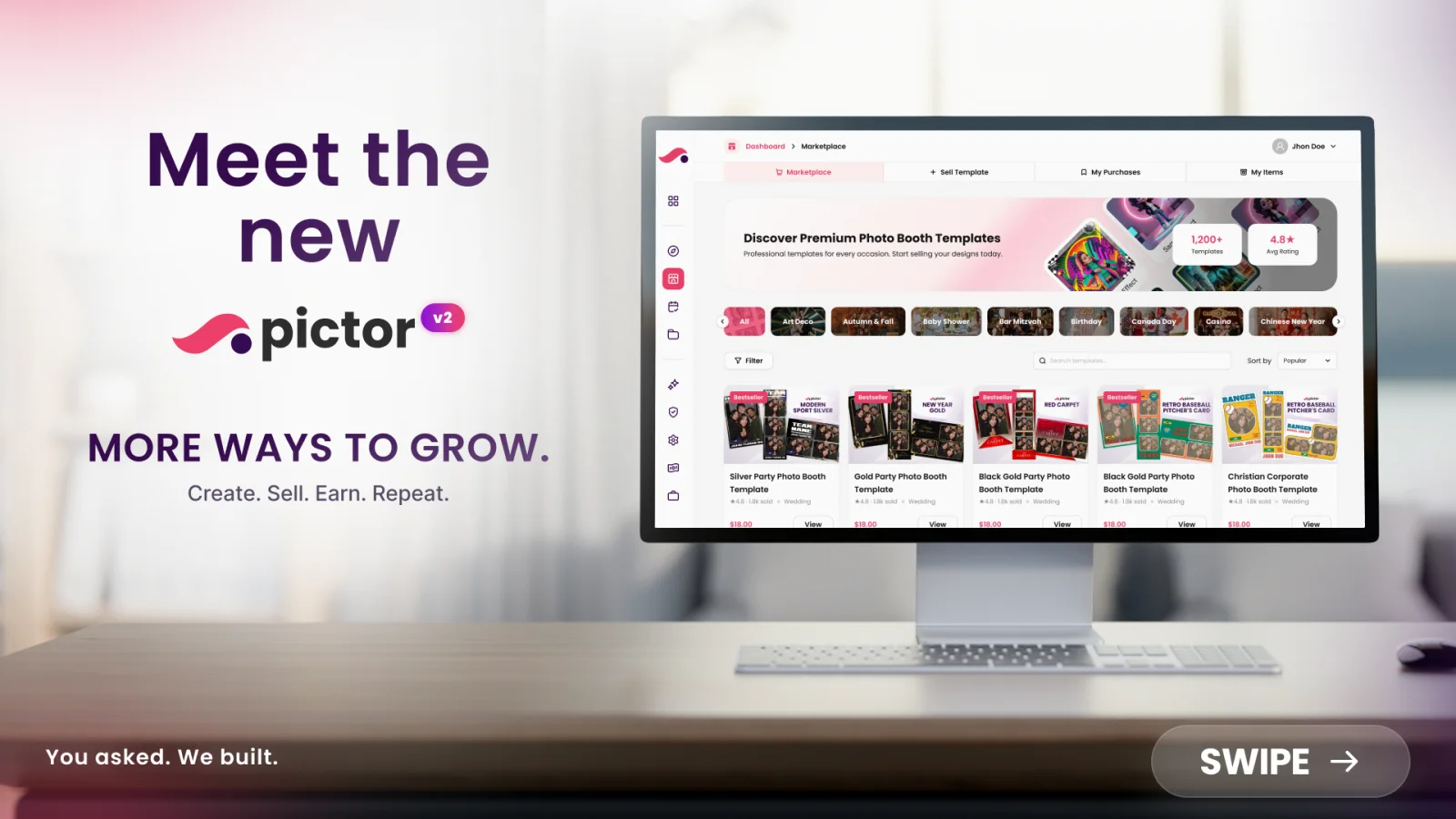
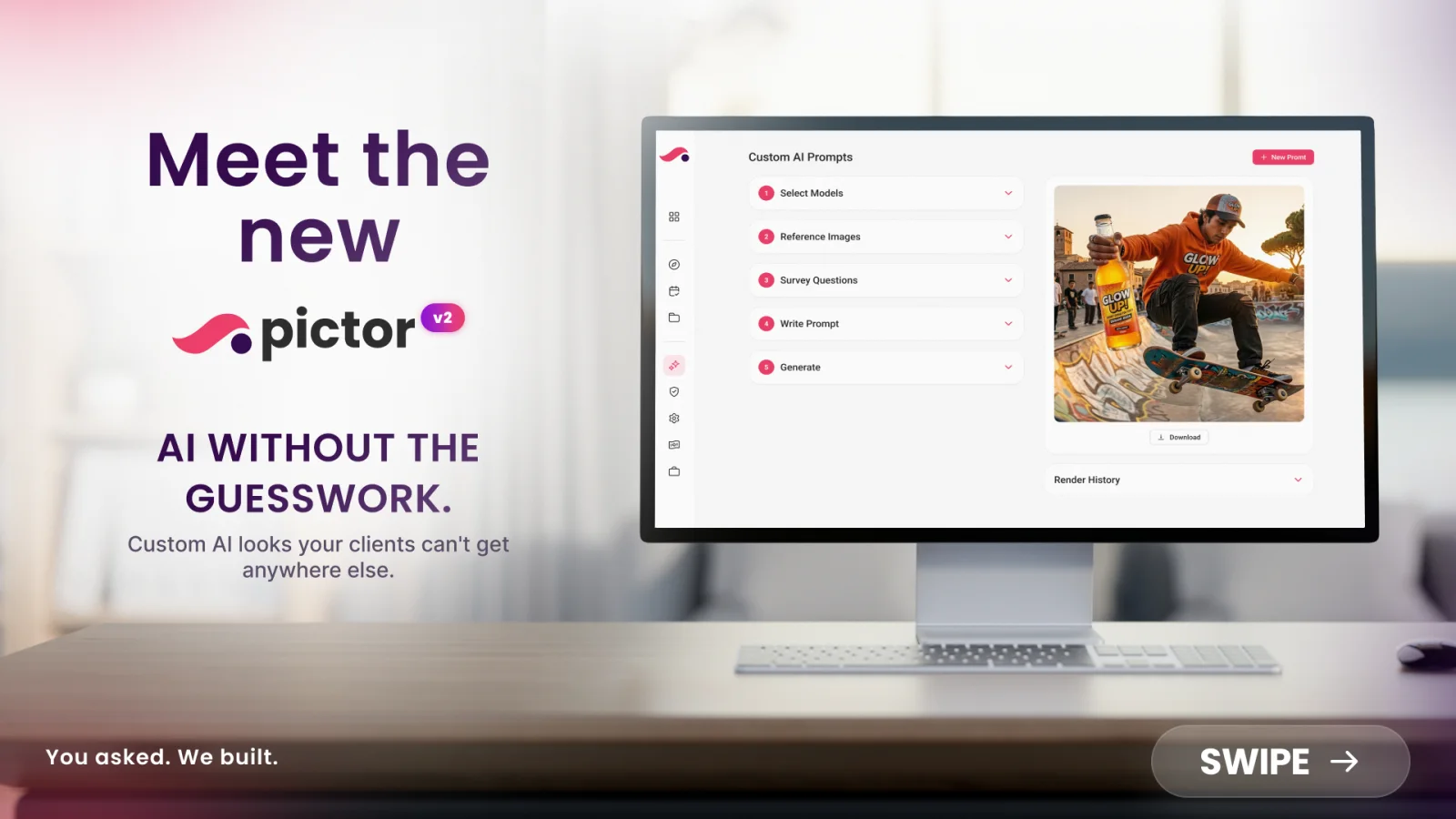
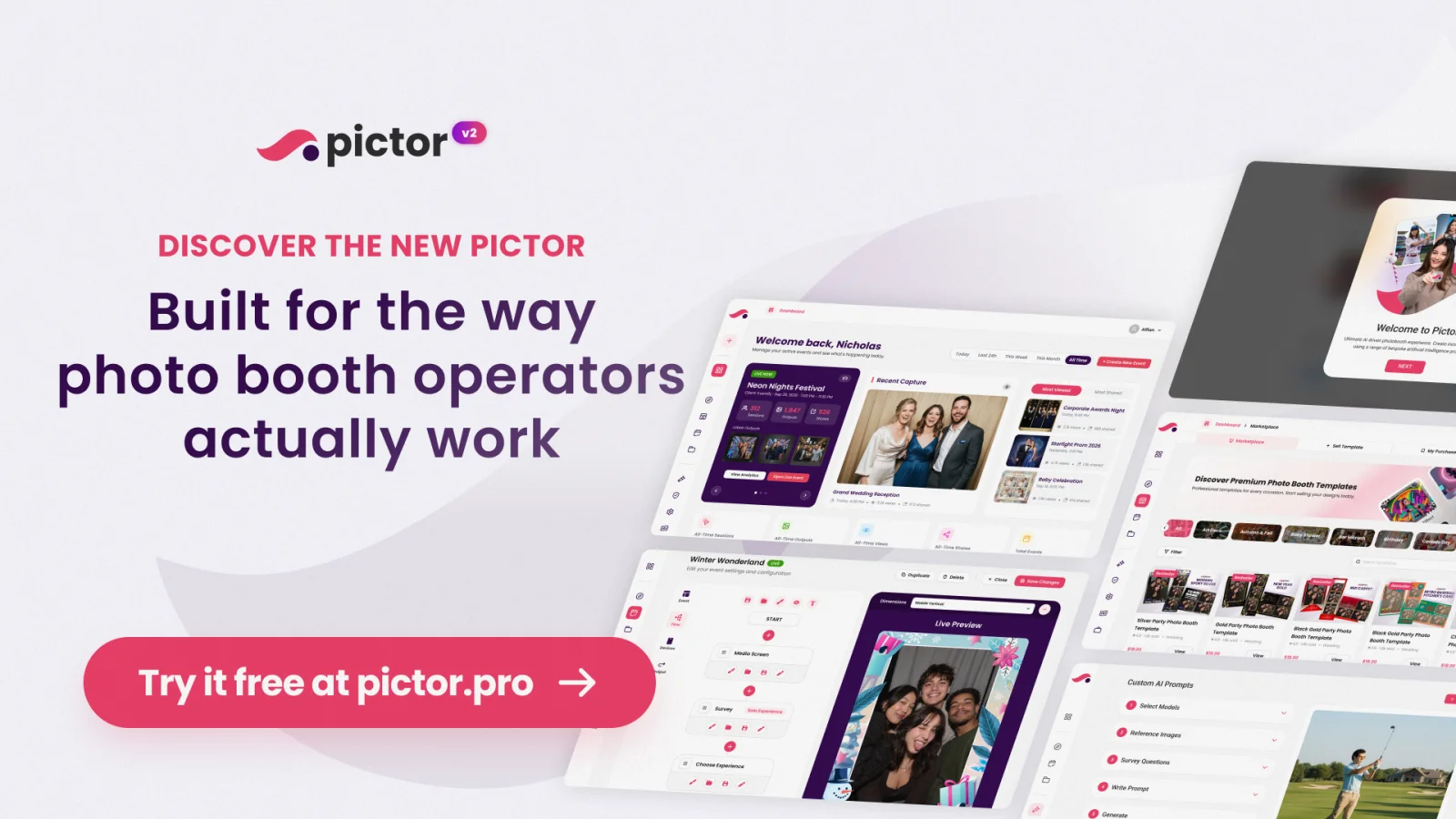
Meet the new Pictor. v2.0.0 is a ground-up rebuild: new web app, new mobile app, every core system redesigned. Try it free.
Pictor v2 at a glance
| Pictor v2.0.0 | |
|---|---|
| Released | September 28, 2026 |
| Platforms | iOS, Android, Web (app.pictor.pro) |
| What it is | Ground-up rebuild: new web app, new mobile app, every core system redesigned |
| New features | 8, led by branching workflows, animated templates, speed ramping, and a marketplace |
| Rebuilt | Workflow builder, template editor, dashboard, pre-registration, custom prompts, DSLR, printing, and the rest of the product |
| Offline-ready | Uploads pause, resume, and recover after a dropped connection |
| Price | Unchanged. Basic $49, Pro $99, Premium $149 per month |
| How to get it | Update the iOS or Android app, or sign in on the web. New operators start a free trial |
What is new in Pictor v2?
Eight features operators asked for, none of which existed in v1:
- Branching workflows. One event, multiple guest paths, decided by a survey answer or template choice, from pre-registration onward.
- Animated template elements. Elements in the template editor can move, without outside design tools.
- Speed ramping. Video and capture elements speed up or slow down at points you set on the template.
- Marketplace. Buy and sell presets, templates, and custom prompts with other operators.
- Asset library. One home for all media and templates, reusable across every event.
- Guided event creation. A step-by-step setup flow for first events and new team members.
- Launchpad. Every link and QR code for a live event on one screen.
- In-app tours. Nine walkthroughs covering the dashboard, events, workflow builder, template editor, and prompt builder.
The full item-by-item list, with everything new and rebuilt, is on the Pictor changelog.
What are branching workflows?
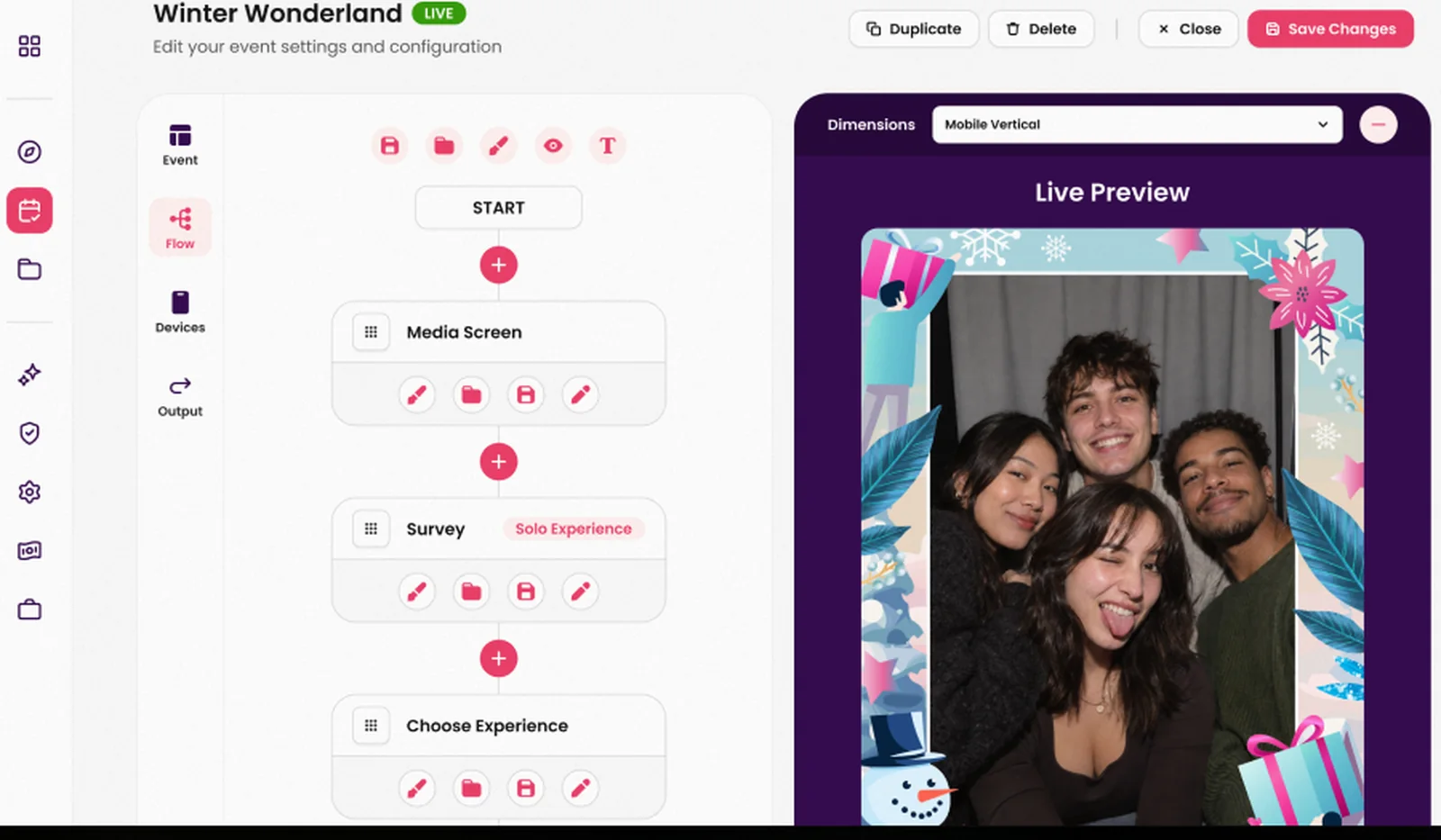
Branching workflows let one photo booth event split guests down different paths, each with its own template and output, based on a survey answer or template choice. It is the standout new capability in v2. You set the branches. Guests never see the decision happen.
Branching can even start at pre-registration, so a guest’s journey is already set before they reach the booth. That makes it a fit for VIP experiences, themed activations, multi-brand events, and any activation where two guests at the same booth should walk away with two different things.
A few ways operators can use it on day one:
- A brand activation where a “Which product are you here for?” question sends each guest to a matching template and background.
- A wedding where the couple’s guests get one design and the wedding party gets another, decided at pre-registration.
- A conference where attendees choose a track and the output carries the right sponsor.
Try branching yourself
Build a branching event in Pictor v2 free
Open a free trial, pick a template from the marketplace, add a survey stage, and watch the live preview branch. About ten minutes.
No credit card required
What is new for templates and creative output?
Templates can now include animated elements. Video and capture elements support speed ramping, so a clip can speed up or slow down at points you set, right on the template itself. That is the kind of polish that used to require outside editing tools, and it lands especially well on boomerangs and video templates.
The template editor itself has a new canvas with filters, a filter creator, effects, a green screen picker, a video trimmer, fonts, global text, tokens, audio, aspect ratio control, capture settings, burst, and GIF support, all in one place.
Creative tools in v2
Polish that used to need an editing suite
-
New
Animated template elements
Elements in the template editor can be animated, giving outputs more energy without outside design tools.
-
New
Speed ramping
Video and capture elements speed up or slow down at points you set. Built for boomerangs and video templates.
-
Rebuilt
Template editor canvas
Filters, filter creator, effects, green screen picker, video trimmer, fonts, global text, tokens, audio, aspect ratio, burst, GIF.
-
Rebuilt
Custom prompts
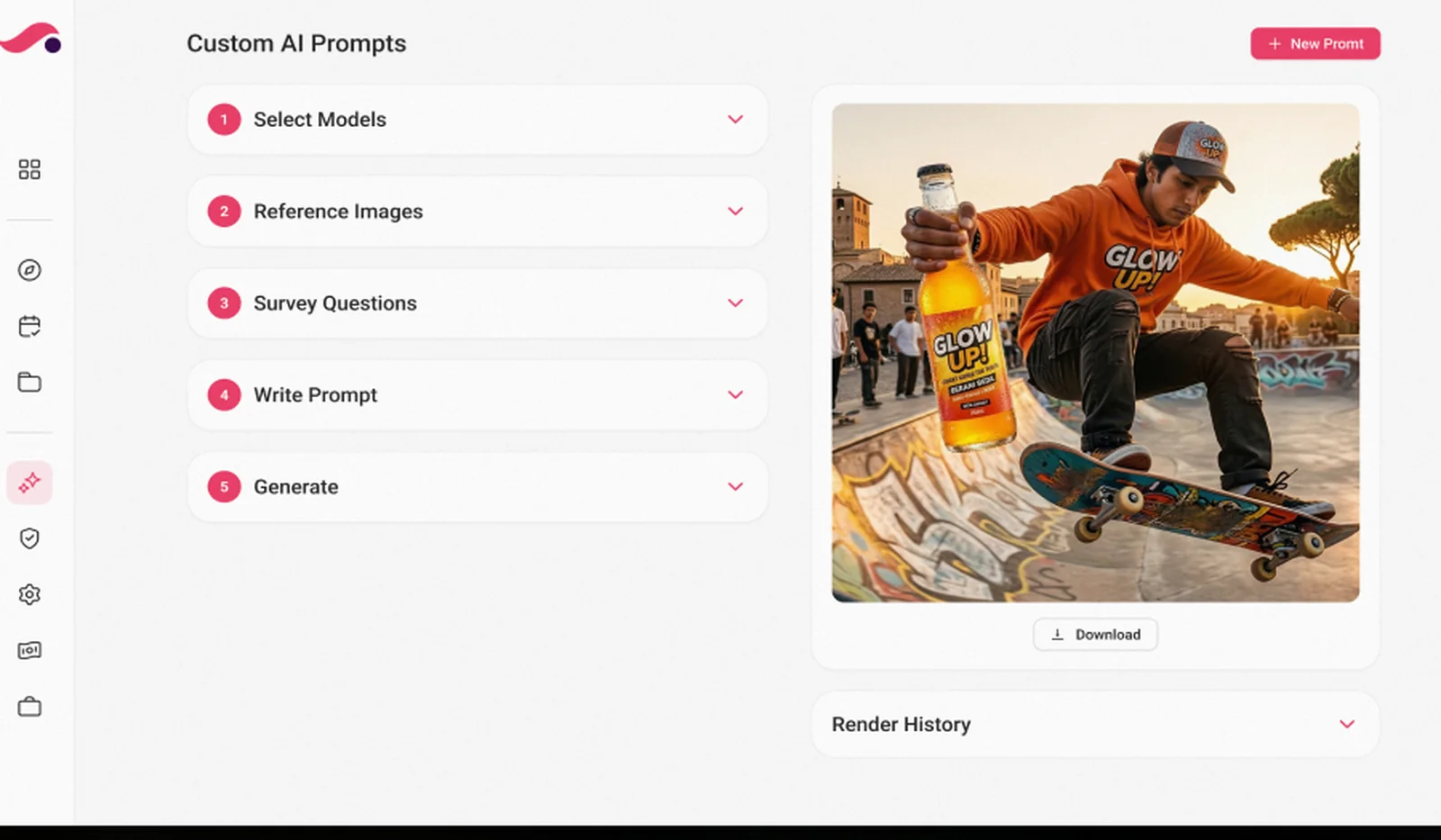
Prompt building and rendering rebuilt for more reliable, higher-quality AI outputs.
What is the Pictor marketplace?
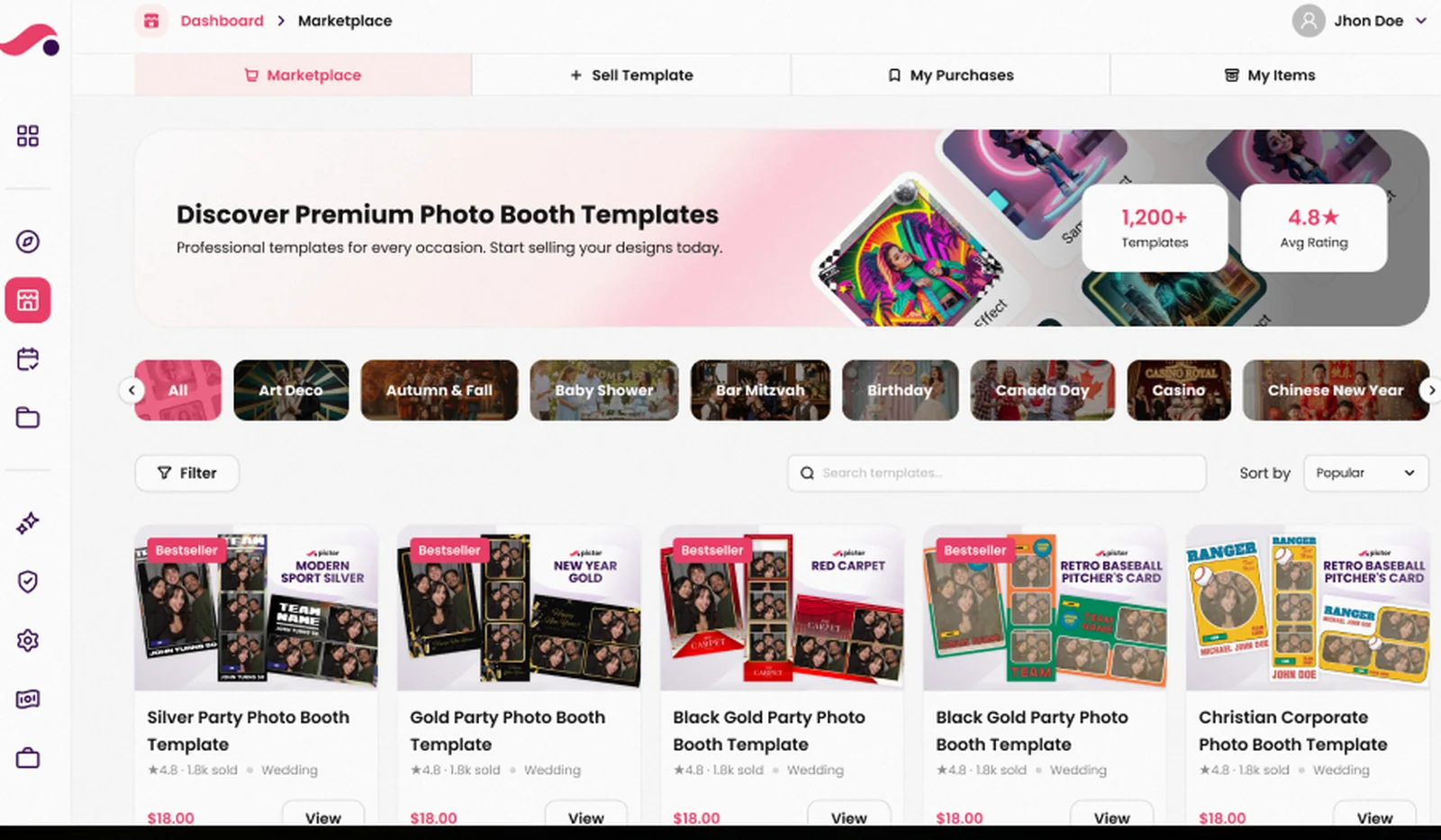
With the new marketplace, you can buy and sell presets, templates, and custom prompts with other operators. If you are short on setup time, buy a finished design. If your best templates keep winning events, list them and turn that work into income.
The marketplace lives alongside the new asset library, a single home for all your media and templates, reusable across every event, so you are not re-uploading the same assets over and over.
Already on Pictor?
Update your app and open the new dashboard
v2.0.0 is live now on iOS, Android, and Web. Your events, templates, and media come with you. Nine in-app tours walk you through what moved.
What changed in the day-to-day experience?
Beyond new capabilities, this release is about a dramatically improved user experience. The interface across web and app has been redesigned to be cleaner, faster, and genuinely easy to use, whether you are running your first event or your five-hundredth.
- Workflow builder. Fully visual, stage by stage, with live preview. Supports per-stage and global styles, booth behavior rules, auto-skip logic, and reusable stage and workflow templates. Much faster to set up and adjust than before.
- Dashboard. Live events, stats, a calendar, recent captures, and top media at a glance.
- Pre-registration. Rebuilt with clearly labeled stages on the workflow and full branching support.
- Launchpad. One screen with every link and QR code you need for a live event. Handy for kiosk mode or handing off to on-site staff.
- DSLR. DSLR support reworked for more reliable handling.
- Printing. Printing logic reworked for more reliable handling.
- Mobibooth lighting integration. Rebuilt integration for the booth frame and backdrop lighting controllers.
- Everything else. Sharing station, slideshow, galleries, email templates, analytics with CSV and ZIP export, clients, projects, partners, users, permissions, billing, whitelabel, and HTML templates have all been redesigned and rebuilt on the new stack.
| Pictor v1 | Pictor v2 | |
|---|---|---|
| Guest flow | One path per event | Branching paths from a survey answer or template choice, including from pre-registration |
| Workflow setup | Settings screens | Visual, stage-by-stage builder with live preview and reusable stage templates |
| Template editor | Static elements | Animated elements, speed ramping, filters, green screen picker, video trimmer, tokens, audio, burst, GIF |
| Templates and presets | Build your own | Build your own, or buy and sell in the marketplace |
| Media | Per-event uploads | Shared asset library across events |
| Spotty venue Wi-Fi | Needed a steady connection | Uploads pause, resume, and recover |
| Onboarding | Docs and support | Guided event creation plus nine in-app tours |
| Live-event links | Scattered | Launchpad: one screen of links and QR codes |

What happens if the booth loses connection mid-event?
v2 is built for real venues, where Wi-Fi drops and guests keep coming. Uploads pause, resume, and can be safely discarded. If the network goes, captures are held and sent when it comes back. Crash reporting on web and app, plus analytics and session replay on web, catch problems before your guests notice.
How do new operators get started?
New to Pictor, or onboarding your team? A guided event-creation flow takes you from blank account to first event step by step. Nine in-app tours cover the dashboard, events, workflow builder, template editor, prompt builder, and more.
And if you get stuck, support is faster and more responsive than before. We invested in customer service alongside the product rebuild, because a great platform should come with great support behind it. Emergency phone support is available on every plan, including during live events.
How to try Pictor v2 in about ten minutes
- Create a free trial account at app.pictor.pro. No credit card.
- Follow the guided event creation flow to make your first event.
- Open the marketplace and add a template, or build one in the new editor.
- In the workflow builder, add a survey stage and a second path. Watch the live preview branch.
- Open Launchpad, scan the QR code with your phone, and run the event as a guest.
- Install the iOS or Android app and sign in. Your event is already there.
How to update if you already use Pictor
- Update the Pictor app from the App Store or Google Play.
- Sign in at app.pictor.pro for the new web app. Your events, templates, and media carry over.
- Take the dashboard and workflow builder tours the first time they appear. They cover what moved.
Where can I learn each new feature?
Every part of the new Pictor has a step-by-step help article. Tour the new Pictor here:
- A redesigned web app and booth app. In light and dark mode. Event setup lives on the web, and the booth app stays focused on running the booth: capture, sharing and printing.
- Branching workflows. A survey answer or template choice can send each guest down a different path with a different template or output.
- A new template editor. For stills, GIFs, boomerangs and video, with animations, speed ramping, filters, effects and video trimming.
- A rebuilt custom prompt builder. For AI photo and video.
- Launchpad. One screen with every link and QR code you need for a live event.
- Asset library. Your media and templates in one place, reusable across events.
- The Pictor Marketplace. Ready-made experiences and templates you can add to your account.
- Built-in guided tours. So you can learn the new layout at your own pace.
Which Pictor plan do you need for v2?
v2 ships to every plan and pricing has not changed. Basic is $49 a month, Pro is $99, Premium is $149, and Enterprise is a custom arrangement on top. Annual plans save about two months. The pricing page has the full feature table and the AI pricing guide explains tokens.
Which plan for Pictor v2
Pro is the plan most operators start on
-
Basic · $49/mo
Attended booths, AI presets
Native iOS and Android apps, AI presets and library, photos, GIFs, boomerangs, video, printing.
-
Pro · $99/mo · recommended
Custom prompts, DSLR, Paywall
Everything in Basic plus the Custom Prompt Editor, DSLR and mirrorless tethering, digital props and background removal, and Paywall for unattended installs at a 10% fee.
-
Premium · $149/mo
AI video and Virtual Booth
Everything in Pro plus AI Video, the browser-based Virtual Booth for Mac and PC with no per-event fee, and a Paywall fee of 5%.
-
Free trial
Try v2 first
Every feature in this post is available to try today. Start a free trial, no credit card, then pick a plan when you book your first event.
See it live on Show & Tell
Join us Wednesday, September 30, 2026 at 1 PM ET for Show & Tell, where we will walk through the highlights live: branching from a survey answer, speed ramping on a boomerang template, the marketplace, Launchpad, and the new workflow builder. Bring questions. The replay lands on the same page afterward.
FAQ
Is Pictor v2 a free update?
Yes. v2.0.0 is a free update for every Pictor plan. Update your iOS or Android app from the app store, or sign in at app.pictor.pro for the new web app.
Will my existing events and templates carry over?
Yes. Your events, templates, media, and account settings come with you into v2. The new asset library gives them a single home you can reuse across events.
What are branching workflows in Pictor?
Branching lets one event split guests down different paths based on a survey answer or template choice, each with its own template and output. Branching can start at pre-registration, so a guest’s path is set before they reach the booth.
What is speed ramping?
Speed ramping lets video and capture elements inside a template speed up or slow down at points you set. It is applied on the template itself, so every output from that template carries the effect.
What is the Pictor marketplace?
A place to buy and sell presets, templates, and custom prompts with other operators. Buy finished designs to save setup time, or list your own to earn from them.
What happens if I lose connection during an event?
Uploads pause, resume, and recover when the network comes back.
Does Pictor v2 cost more than v1?
No. Plans are unchanged at $49, $99, and $149 a month for Basic, Pro, and Premium, with Enterprise as a custom arrangement. AI actions still use tokens, which never expire.
Can I run Pictor v2 on a Mac or PC?
The native apps are iOS and Android. Mac and PC operators use the browser-based Virtual Booth, included with Premium, plus the web app at app.pictor.pro for setup and management on any computer.
Related reading
- Photo Booth Marketplace: buy and sell templates, presets, and prompts
- 65 AI photo booth prompts that nail every look
- How much does a photo booth rental cost in 2026?
- How to start a photo booth business
- Pictor features and the full changelog
Photo booth software built by operators
Run your next event on Pictor v2
Branching workflows, animated templates, a marketplace, and a rebuilt editor. Free trial, no credit card, and your first event is guided step by step.
No credit card required