What You Actually Need for Your First Photo Booth Event
The essentials checklist for your first paid booking, what upgrades can wait, and a simple backup plan for when something goes wrong.

Nicholas Rhodes
Drafted with AI assistance; reviewed and approved by Nicholas Rhodes before publishing.
What do you need for your first photo booth event?
Your first paid photo booth event doesn’t require a warehouse of equipment. It requires a reliable capture setup, a clear guest experience, a backup plan for when something goes wrong, and enough preparation that you aren’t solving basic problems in front of a client. This checklist separates what’s essential for event one from what can wait for an upgrade.
Beginner series · Stage 0 of 5 · Part 3 of 22
Start here: How to Start a Photo Booth Business
Previous: Photo Booth Startup Costs in 2027
Part 2 of this series covered what your setup costs. This part covers what actually needs to be in the kit, and what can wait until a later booking.
The minimum viable photo booth setup
For a first paid event, you need a capture device, a stable stand or mount, reliable lighting, photo booth software, charging equipment, a digital sharing method, a backup plan, basic branding, a signed agreement and payment process, and a packing checklist.
Printing, DSLR cameras, AI effects, premium backdrops, and extra accessories can all improve the experience. None of them are automatically required for your first booking. Start with the simplest setup that delivers a polished result.
1. Choose your capture device
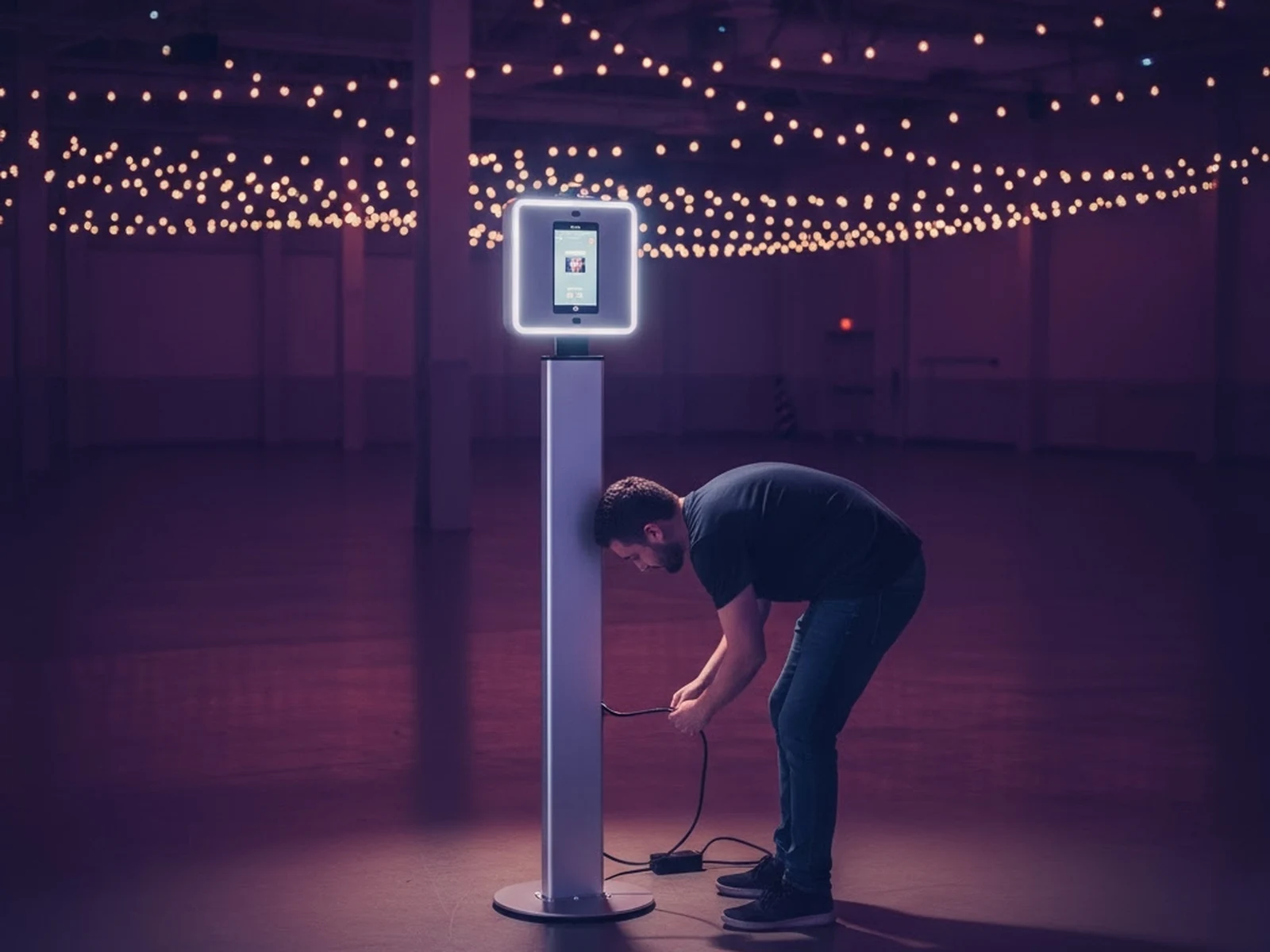
Choose equipment you already know how to use, or that you have time to test properly before the event. A modern iPad or Android tablet is often the most practical starting point: it gives guests a clear screen, keeps setup portable, and runs dedicated software without a custom booth shell. A smartphone can work for a small or informal event. A DSLR or mirrorless camera works if you already own one and understand tethering.
Pictor runs natively on iOS and Android. DSLR tethering is available on Pro and Premium plans. You can also run a browser-based Virtual Booth on a Mac or PC with Premium.
Upgrade to a DSLR when clients expect professional camera quality, you’re booking weddings or corporate activations, you want more control over exposure and depth of field, or your tablet’s camera is limiting the look of your work. Don’t buy a professional camera because it sounds more serious; buy it when the bookings you’re pursuing justify it.
2. Use a stable stand and intentional lighting
A shaky tablet, an uneven tripod, or harsh overhead light can make an otherwise good booth feel improvised. Bring a sturdy tablet stand or tripod, a continuous LED light or ring light on a stable stand, a simple backdrop, and clips or weights if you’re using fabric. The stand should hold the device securely when guests tap the screen. The light should illuminate faces evenly without sharp shadows or pointing into the camera.
Do a test capture from the exact spot where guests will stand, checking framing for both one person and a group. Upgrades to save for later include a premium enclosed booth, multiple lights, a professional backdrop system, and a dedicated print or share station. A clean, stable, well-lit setup outperforms a costly booth that’s poorly positioned.
3. Choose software that handles the full guest journey
Photo booth software should do more than trigger a camera; it should manage the experience from capture to delivery. At minimum, look for custom overlays or templates, a simple guest workflow, sharing by SMS, email, QR code, or gallery link, reliable storage, print support if you offer prints, branding controls, and event settings you can prepare in advance.
Pictor lets you build a branded event, choose a capture mode, and test it before the booking, with Simple Mode for a fast setup or the Template Editor for more control. Use the free trial to build and test your event; a paid plan is required to run it live, so confirm your event is on the right plan before the booking. See Pictor’s features for the full workflow.
4. Plan your sharing and printing options
Decide how guests will receive their photos before the event starts. Digital delivery by SMS, email, QR code, or gallery link is the simplest first-event option: it keeps your kit lighter and removes printer troubleshooting from booking one. Confirm the venue has reliable Wi-Fi or cellular coverage, and bring a mobile hotspot as a backup if sharing depends on a connection.
Printing can make your package more valuable, especially for weddings and family events, but it adds equipment and points of failure. If you offer prints, bring a compatible printer, more paper and ribbon than you expect to use, a stable surface, a test print, and a backup plan if the printer stops working. Printing is available on every Pictor plan, including Basic, through the free Print Partner App. A sensible first package is often digital by default, with prints added once you’ve tested the full workflow at a practice event.
5. Bring power, cables, and a backup plan
Power problems are rarely dramatic. A battery drops faster than expected, a cable is too short, or the only nearby outlet is behind a locked door. Pack all device charging cables, an extension cord, a power strip, a high-capacity power bank, spare cables, and cable ties or tape. Ask the venue where the nearest outlet is, whether you can access it during setup, and whether cables are allowed across the floor.
Your backup plan should be simple enough to use under pressure: if digital sharing fails, keep capturing and deliver the gallery afterward. If the printer fails, switch to digital. If the main device fails, use a charged backup. If the internet fails, keep the booth running locally where possible and queue delivery for later. A backup plan isn’t pessimistic; it’s part of professional event service.
6. Prepare the branding before you arrive
Your first event should look like your business, not a device running default settings. Prepare your logo, brand colors, event or client logo, overlay, welcome and thank-you screens, gallery branding, and the sharing message. Send a proof to the client before the event and confirm spelling, colors, and sponsor placement in writing.
Pictor’s event builder and templates help you create a branded experience quickly, then adjust it per client. Save the finished event as a repeatable template so your next booking doesn’t start from zero.
7. Complete the business essentials
Equipment is only part of a paid event. Before accepting the booking, have a written agreement covering the event date and location, setup and breakdown times, service hours, included capture modes, delivery and print details, total price, deposit amount, final payment date, cancellation terms, overtime and travel fees, and image usage permissions. Use a payment process that gives both sides a clear record, such as an invoice or a card payment link, not a verbal agreement or a message thread.
This checklist is general educational information, not legal or insurance advice. Consult your insurance provider about appropriate coverage and a qualified lawyer about your contract, liability, and local requirements.
8. Test the entire guest journey, not just a test photo
A single test capture isn’t enough. Walk the full sequence: guest approaches, welcome screen explains what to do, capture begins, photo processes, overlay appears correctly, guest chooses a delivery method, image is shared or queued to print, gallery is accessible, and the next guest can start immediately. Run it with one person and with a group, checking framing, lighting, focus, overlay placement, processing time, and print alignment. Test again at the venue after setup, since lighting, Wi-Fi, and power can all change the result.
9. Pack by workflow, not by category
A packing list is more useful when it follows setup order. Capture case: tablet or camera, stand, cables, memory cards. Lighting case: LED light, stand, power cable, extension cord, spare batteries. Delivery case: printer, paper and ribbon, hotspot, backup storage, power bank. Setup and safety kit: tape, cable ties, clamps, scissors, a cloth, a small tool kit, printed event details. Photograph your packed cases before you leave; it speeds up repacking and helps you notice what’s missing before the next booking.
10. Confirm venue access and arrive early
Confirm the practical details several days ahead: the exact address, load-in entrance, parking, elevator access, setup location, power access, Wi-Fi, setup deadline, breakdown restrictions, and a venue contact. Arrive early enough to set up without rushing; 60 to 90 minutes before guest arrival is a reasonable starting point depending on your equipment. Keep cables secured and don’t block exits or walkways.
11. Deliver the event properly afterward
Your responsibility doesn’t end when the last guest leaves. Confirm all files have synced or backed up, export or share the client gallery, send the agreed delivery message, keep a second backup before deleting anything, clean and inspect equipment, restock supplies, record your actual times and expenses, and ask the client for a review. Many operators deliver a digital gallery within 24 to 48 hours, but the right promise depends on your own workflow and contract.
Your first-event checklist
Essentials: capture device, stable stand, continuous lighting, photo booth software, branded template, charging equipment, extension cord and power strip, digital sharing method, backup device, signed contract, payment record, venue access confirmation, test captures, packing checklist, post-event delivery plan.
Upgrades for later: DSLR or mirrorless camera, premium booth frame, professional printer, multiple lights, custom backdrop, AI photo effects, AI video, a dedicated share station, an attendant, and a backup printer.
The best first setup isn’t the one with the longest equipment list. It’s the one you can explain, test, pack, operate, and recover when something doesn’t go as planned.
Which Pictor plan do you need for your first event?
Basic ($49/mo) covers photo, GIF, and print workflows for a straightforward first booking. Move to Pro ($99/mo) for DSLR tethering and the Custom Prompt Editor once you’re ready for AI-premium packages. Printing is included on every plan, including Basic.
Build and test your first branded event for free. Start free on Pictor →
FAQ
What’s the minimum equipment for a first photo booth event?
A capture device, a stable stand, reliable lighting, photo booth software, a digital sharing method, charging equipment, and a backup plan. Printing, DSLR cameras, and AI effects can all wait for a later booking.
Do I need a printer for my first event?
No. Digital delivery by SMS, email, QR code, or gallery link is the simplest first-event option and removes printer troubleshooting from your first booking. Add printing once you’ve tested the full workflow.
What should be in my backup plan?
A simple fallback for each likely failure: continue capturing and deliver later if sharing fails, switch to digital if the printer fails, use a charged backup device if the main device fails, and keep the booth running locally if the internet drops.
How early should I arrive to set up?
60 to 90 minutes before guest arrival is a reasonable starting point for a first event, depending on your equipment and the venue’s access. Confirm load-in, parking, and power access several days ahead.
Do I need a written contract for my first booking?
Yes. A signed agreement covering the date, service hours, delivery details, price, deposit, and cancellation terms protects both you and the client, even for a small first event. It isn’t a substitute for legal advice specific to your location.
Can I run my first event with just a tablet?
Yes. A modern iPad or Android tablet is a practical starting point for most first events: it’s portable, familiar to set up, and runs dedicated photo booth software without a custom shell.
Next in the series: How to Choose Your First Photo Booth Setup.
Beginner series · Stage 0 of 5 · Part 3 of 22
Start here: How to Start a Photo Booth Business
Previous: Photo Booth Startup Costs in 2027: What You Actually Need to Spend
Next: How to Choose Your First Photo Booth Setup